
Business Glossary
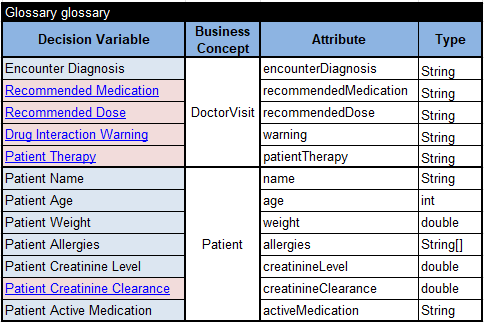
Defines input and output decision variables and organizes them by business concept.
Platform concepts
A decision model represents the logic of a business problem in a form that subject-matter experts can understand and a computer can execute.
Decision project
A decision model is normally organized as a standard project folder containing everything needed to understand, verify, and run the decision.
Defines input and output decision variables and organizes them by business concept.
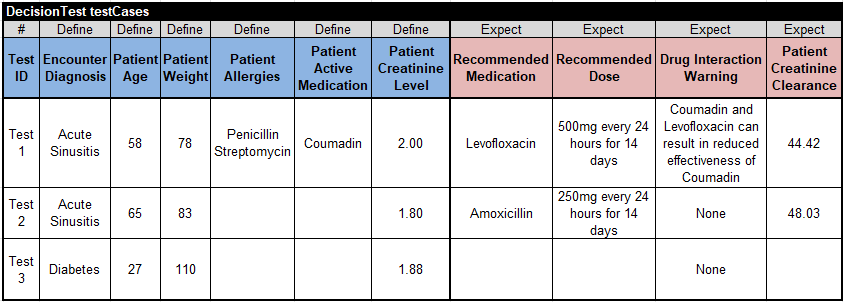
Provides representative input values together with the expected output values.
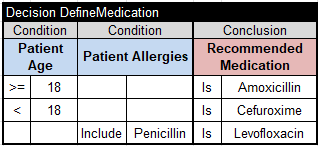
Specifies how the model derives its outputs from the available inputs.
project.properties configures the model, test.bat builds and tests it, and explore.bat opens the graphical interface.
Decision engines
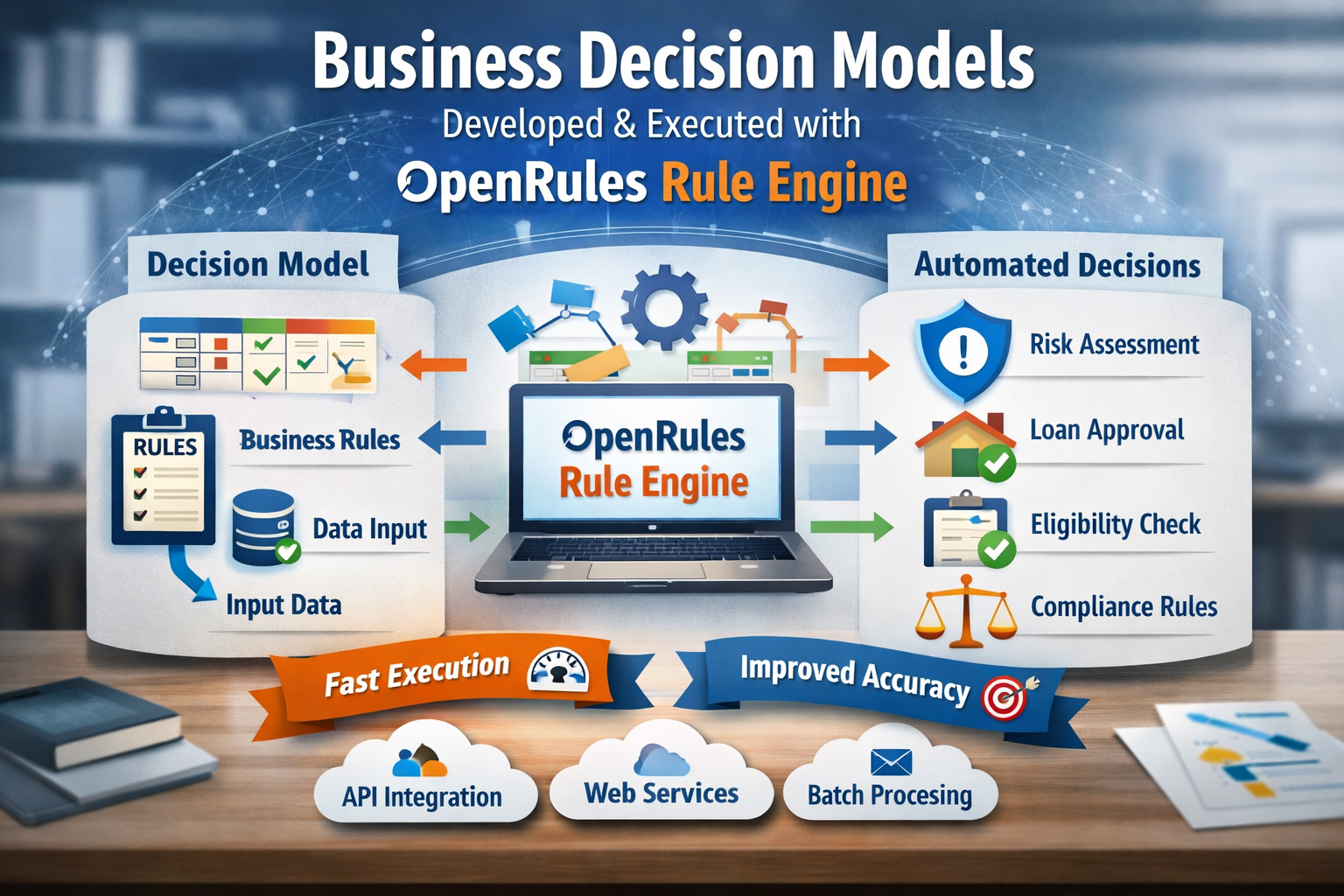
The OpenRules platform provides several engines that can work independently or be combined into a problem-specific decision engine.
Complete example
The Patient Therapy decision model captures medical guidelines that help a doctor select therapy after diagnosing a patient. Its glossary contains the Patient and DoctorVisit concepts; blue cells identify inputs and pink cells identify outputs.
Business rules
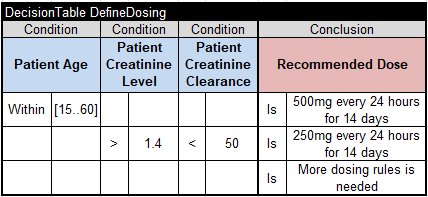
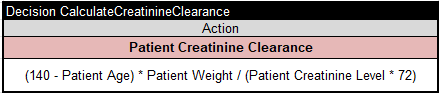
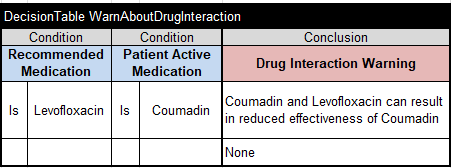
The main table coordinates the complete Patient Therapy goal. Supporting decision tables determine medication, dose, and drug-interaction warnings.
Build, test, explain
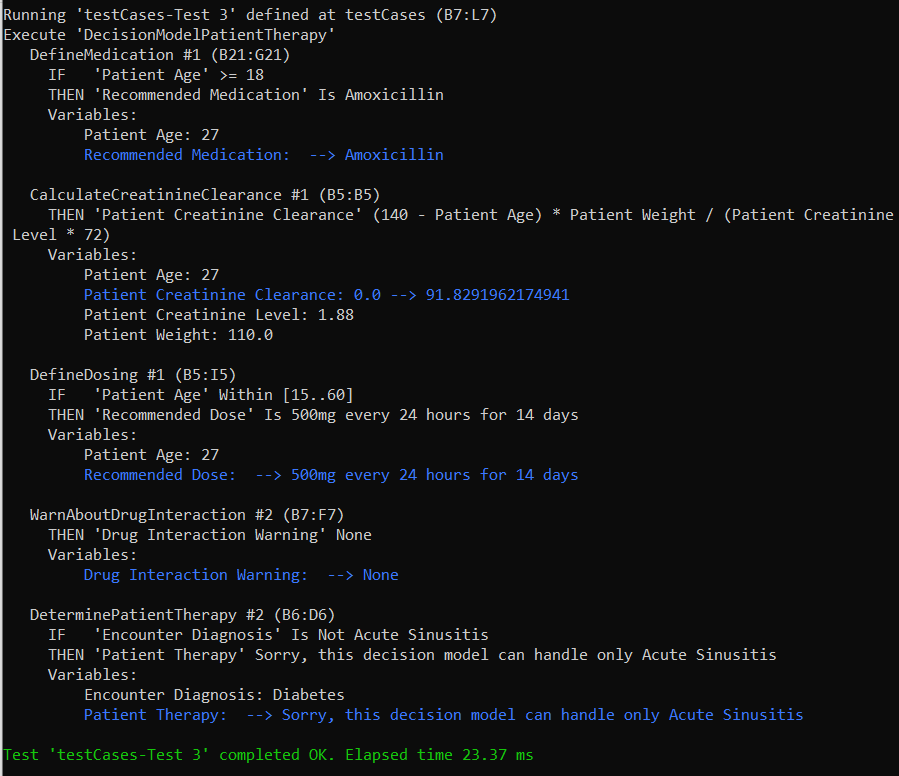
Double-click test.bat. OpenRules resolves the model dependencies, transforms the tables into executable code, and runs every test case through the built-in Rule Engine.
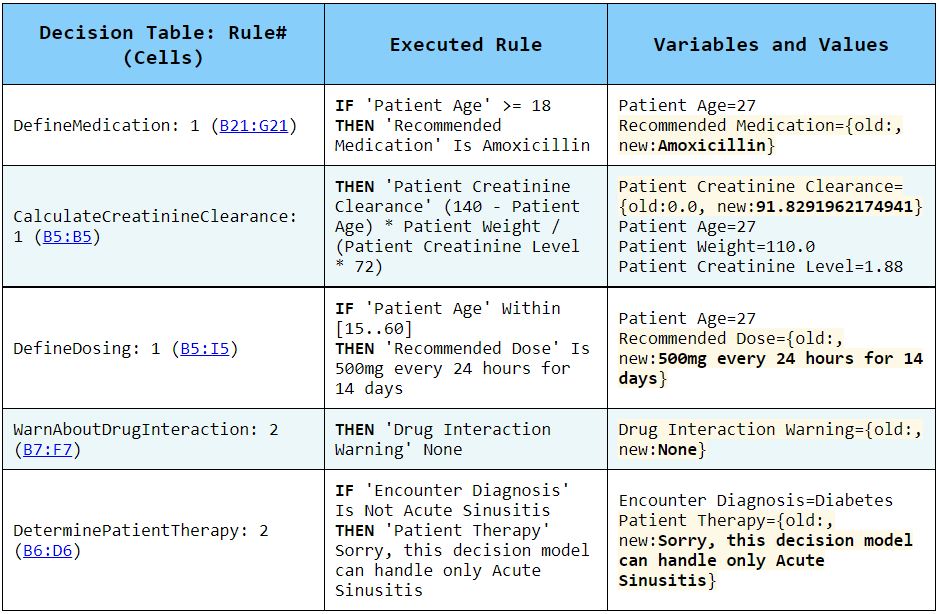
The execution protocol displays the result, while the generated HTML report records which rules ran and explains why.
Explore and extend
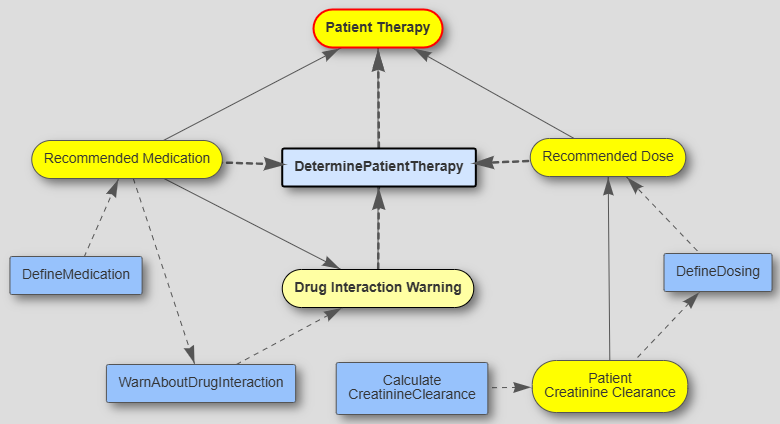
Run explore.bat to open OpenRules Explorer and view the automatically generated decision diagram. The Graphical Debugger follows execution rule-by-rule.
The Decision Playground lets business specialists add last-minute constraints and compare alternatives when real-time conditions differ from those anticipated by the model.
Larger applications can combine multiple models as well-orchestrated decision services shared by business and development teams.
From concept to working model
Download the free evaluation or study the ready-to-run examples included with OpenRules.