
Rule DB
Put database-driven decisions in business hands.
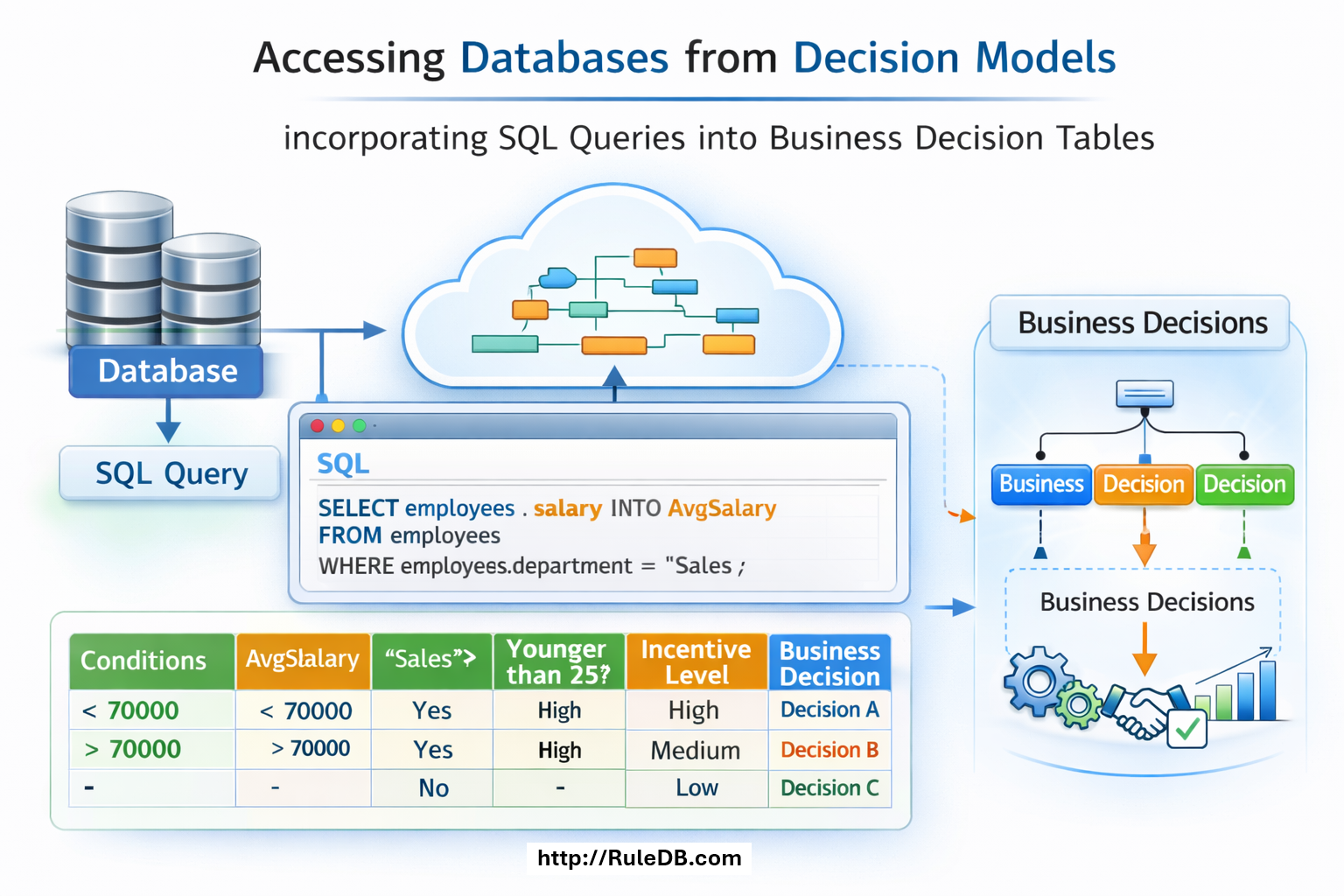
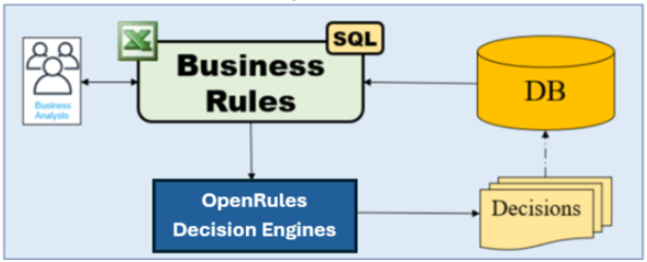
Rule DB™ is a component of the OpenRules Decision Intelligence platform that supports connectivity with relational databases. It makes quality data available to subject-matter experts—not only to a small IT team of SQL specialists—and lets business analysts validate and act on data using simple business rules.
Traditional rule engines expect Java, JSON, or XML objects while separate SQL statements handle database access. Rule DB lets user-friendly business rules query databases directly while preserving the full power of SQL for databases of any complexity.
From SQL to rules
Move business criteria into visible decision tables.
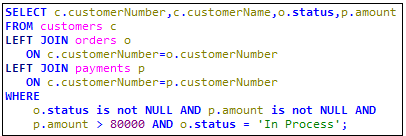
Consider an SQL query defined on the classic MySQL Sample Database. Rule DB moves its record-selection structure into an Excel-based DataSQL table.
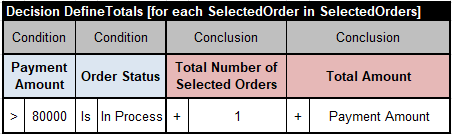
The technical FROM and JOIN information remains in DataSQL. Technical WHERE conditions stay with the query, while business conditions can move into a regular decision table that iterates over the selected orders.



Executable model
Connect the glossary, database, and results.
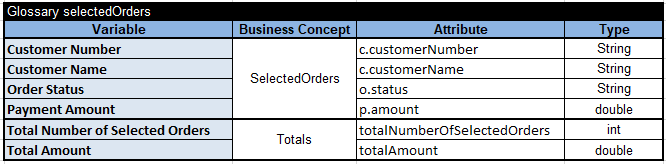
The business concept SelectedOrders uses the same name as the DataSQL table, and its attributes match the SELECT aliases. Database access properties can be kept in project.properties or in the model’s Environment table.
After you set up the sample database, run test.bat. The model selects 1,277 orders, applies the business criteria to find six orders with payment amount above 80,000 and status “In Process,” and accumulates their total amount.
You can change the business logic by editing decision tables without changing DataSQL. Rule DB therefore integrates business rules naturally with relational data without sacrificing SQL power.


Services
Move from SQL-only logic to a rules-based architecture.
OpenRules provides Technical Support to help migrate pure SQL solutions to rules-based decision services. Contact support@openrules.com.