
Healthcare decision model
Decision Model “Patient Therapy”
Capture medical-guideline logic for choosing a therapy for a patient diagnosed with acute sinusitis.
Business logic
Coordinate medication, dose, and safety rules.
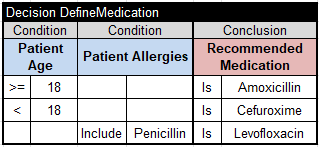
- Adults receive Amoxicillin and younger patients receive Cefuroxime; Penicillin-allergic patients receive Levofloxacin.
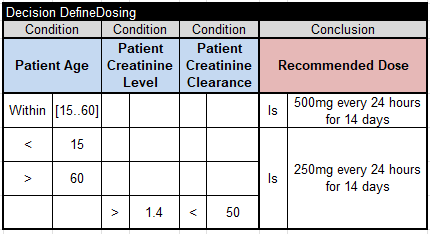
- Age and renal-function rules determine the dose and duration.
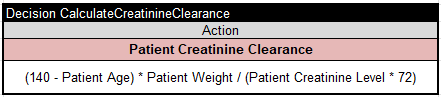
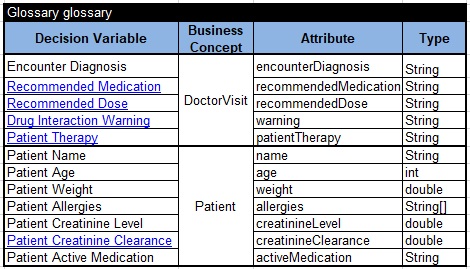
- Creatinine clearance is calculated as (140 − age) × lean body weight / (PCr × 72).
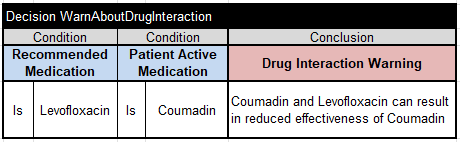
- A warning is produced when Coumadin and Levofloxacin may interact.

Decision structure
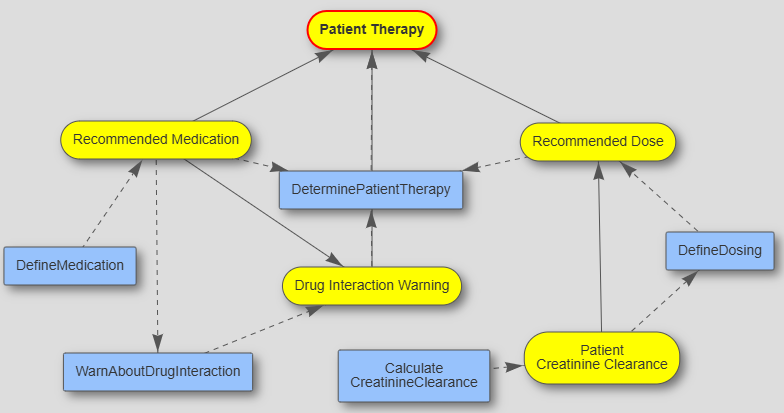
Divide one therapy decision into three sub-goals.
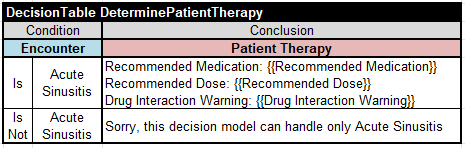
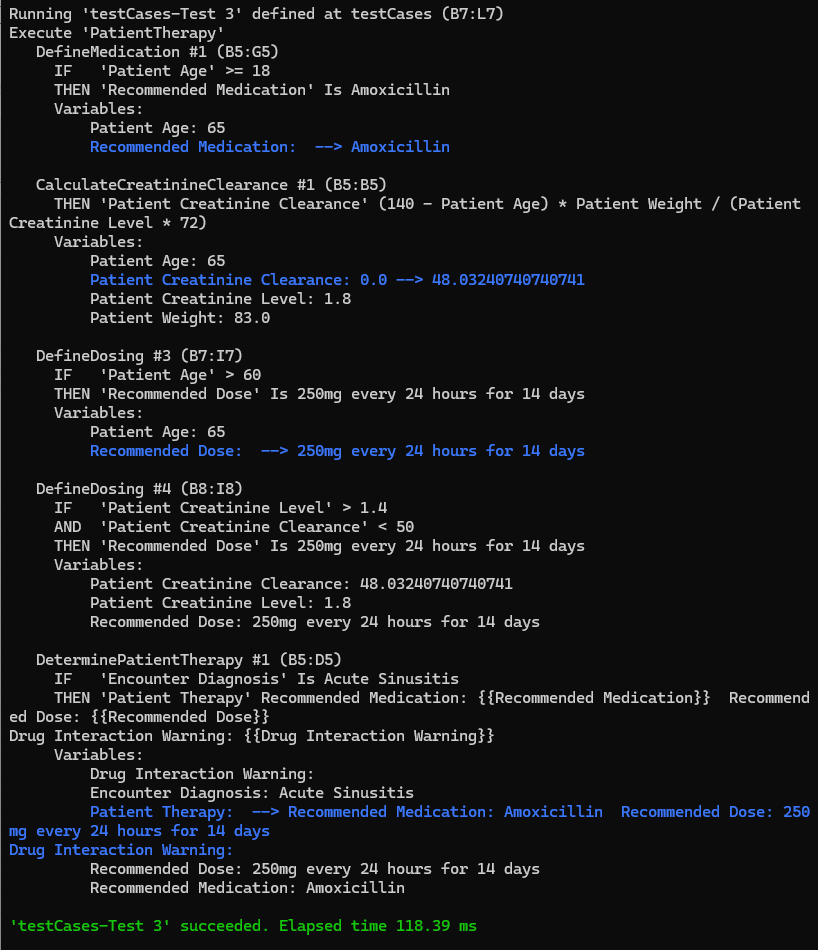
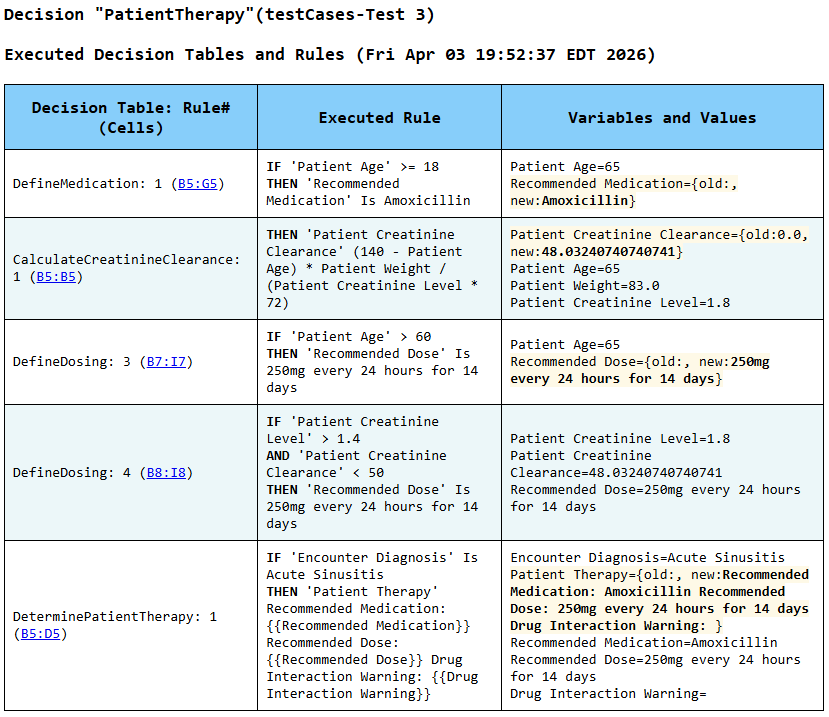
The DeterminePatientTherapy table limits the model to acute sinusitis and coordinates three sub-goals: Recommended Medication, Recommended Dose, and Drug Interaction Warning. Multi-hit tables allow a recommendation to be overridden when a more specific rule applies.
Model files
Organize the rules, glossary, tests, and environment.
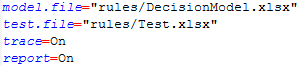
Four decision tables are stored in rules/Rules.xlsx, the glossary is in rules/Glossary.xlsx, test cases are in rules/Test.xlsx, and rules/DecisionModel.xls identifies the related files.

Test and debug
Follow every decision rule-by-rule.
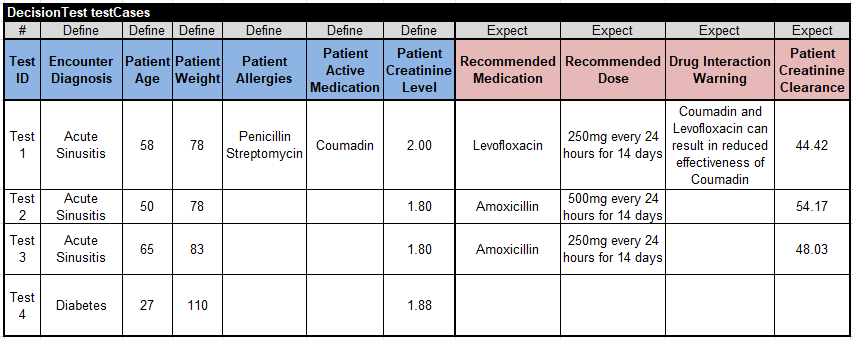
Run test.bat to build the model and evaluate its test cases. Run explore.bat to view the generated decision diagram and debug each test case one rule at a time.
- Standard model:
openrules.samples/INTRO/PatientTherapy - Advanced model:
openrules.samples/ADVANCED/PatientTherapyAdvanced
Try the model yourself
Download OpenRules and run the samples.
The evaluation includes working decision projects that you can inspect, test, debug, and adapt.