
Rules-based decision model
Decision Model “Vacation Days”
Calculate an employee’s vacation allowance from age and years of service using transparent, testable business rules.
Business logic
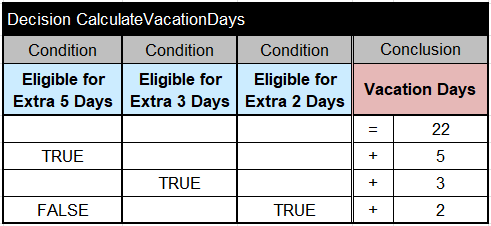
Start with 22 days, then apply the eligible extras.
- Every employee receives at least 22 vacation days.
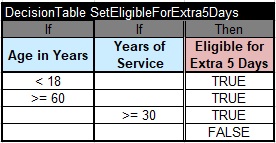
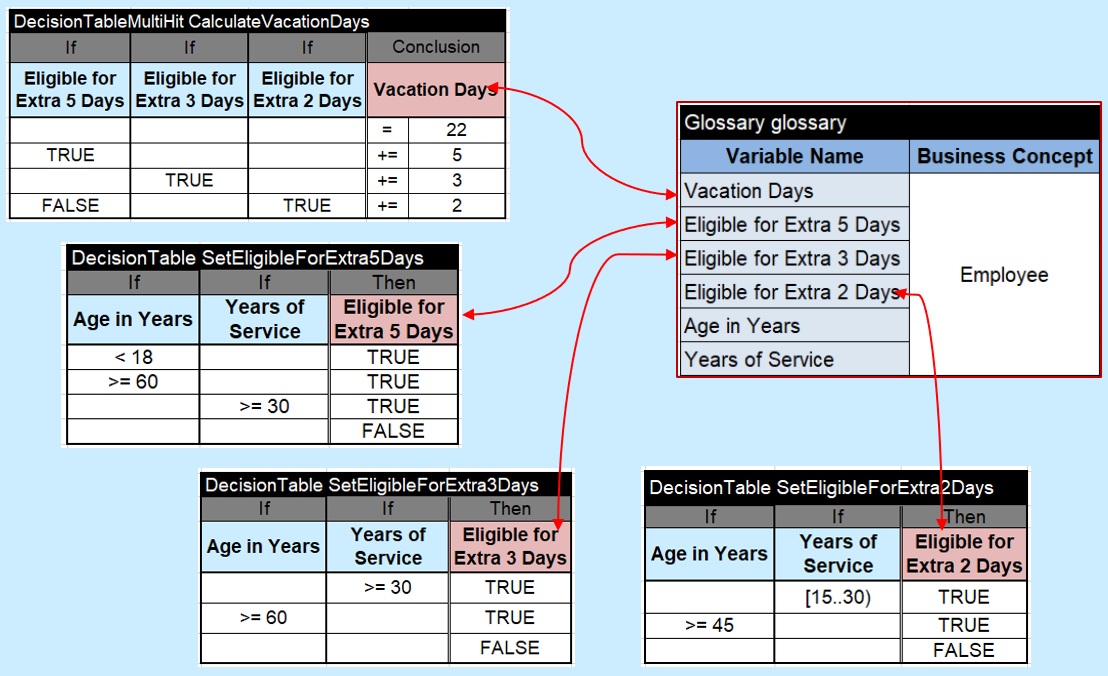
- Employees younger than 18, at least 60, or with at least 30 years of service receive 5 additional days.
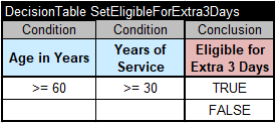
- Employees who have at least 30 years of service and are at least 60 receive another 3 days.
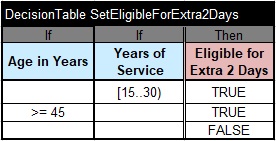
- Employees with 15–29 years of service, or who are at least 45, may receive 2 days; these cannot be combined with the extra 5 days.
Model in Excel
Separate the final calculation from its eligibility decisions.
The multi-hit CalculateVacationDays table executes all satisfied rules and accumulates the allowance. Three supporting decision tables determine eligibility for the extra 5, 3, and 2 days.
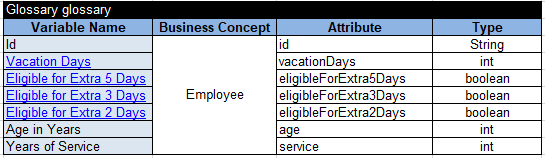
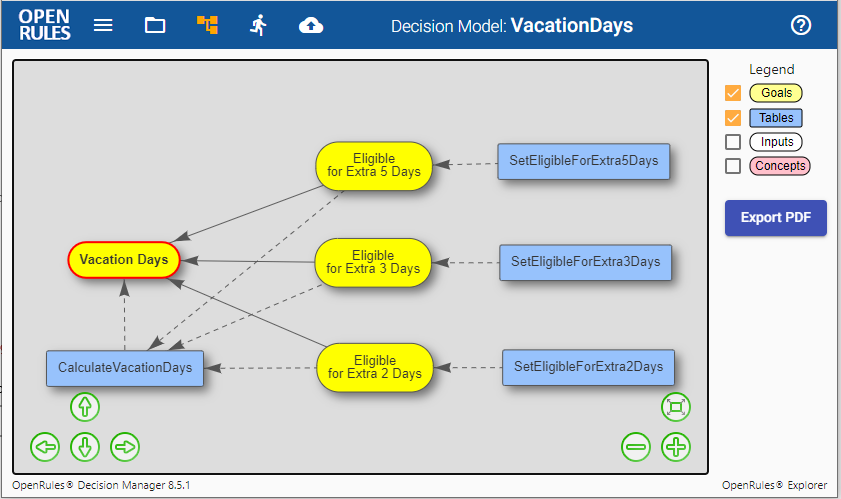
A glossary defines all input variables and goals. The four decision tables are stored in rules/Rules.xlsx, and OpenRules Explorer automatically builds a diagram of their relationships.
Test and explain
Run the same model against reusable test cases.
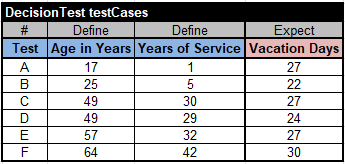
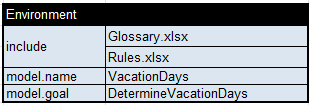
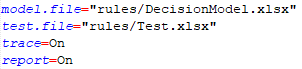
Test cases live in rules/Test.xlsx. The rules/DecisionModel.xlsx environment table identifies the related model files, while project.properties configures execution.
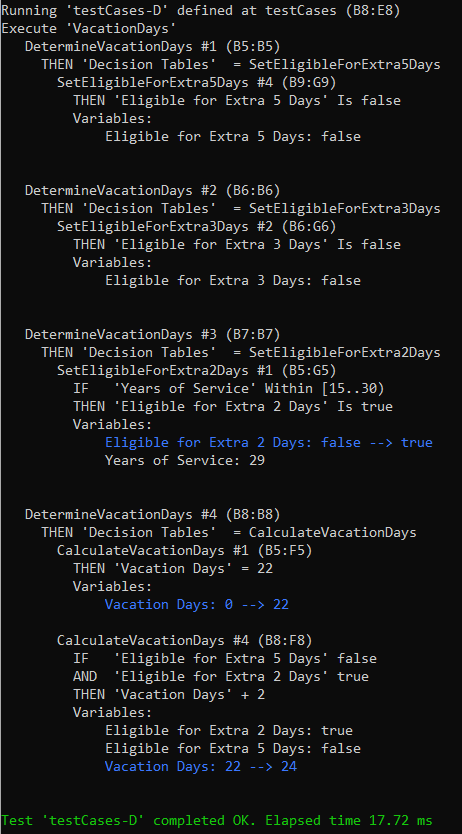
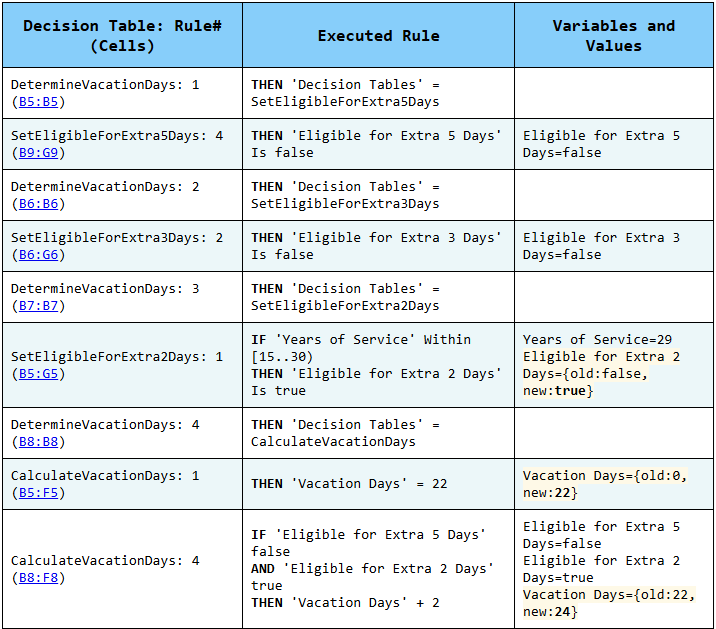
Double-click test.bat to generate executable code and evaluate all test cases. The resulting HTML report identifies the rules that ran and explains the calculated allowance.
Integration
Use the tested model from Java or deploy it as a service.
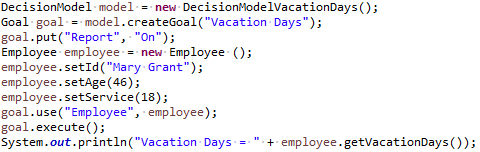
The generated DecisionModelVacationDays class exposes the available goals. A Java application supplies an Employee object, executes the Vacation Days goal, and reads the result. The same model can also be deployed as a containerized decision service.
Try the model yourself
Download OpenRules and run the samples.
The evaluation includes working decision projects that you can inspect, test, debug, and adapt.