
Decision-model workflow
Build, Test, Debug
Use the examples in openrules.samples and openrules.demo as working prototypes for operational decision models of your own.
Build
Transform decision tables into executable code.
After designing the model and defining project.properties, run test.bat. OpenRules transforms the Excel tables into Java packages in target.
The generated files should not be edited: they are regenerated whenever the Excel model changes. OpenRules retains the connection to the original tables, so messages and explanations use the same business terms.
Test
Compare actual decisions with expected results.
Define reusable test cases in Excel, including the required test data and expected results. Running test.bat evaluates the model and produces an execution protocol plus an HTML explanation report showing the rules and decision-variable values involved.
Debug
Step through rules inside the Graphical Debugger.
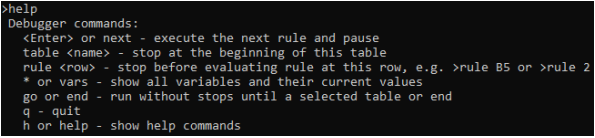
Use the Graphical Rules Debugger to execute a selected test case one rule at a time and inspect the values that drive the decision.
Custom launcher
Test through Java when the project requires it.
A project can run a Java launcher instead of standard OpenRules tests. For the Vacation Days sample, setting run.class=vacation.days.Launcher in project.properties makes test.bat execute that class.
Try the model yourself
Download OpenRules and run the samples.
The evaluation includes working decision projects that you can inspect, test, debug, and adapt.