
Collections and nested data
Decision Model “Iterations”
Analyze employees, salaries, children, and locations by applying visible rules to collections of related business objects.
Business goals
Answer questions across a company’s employee data.
The model determines minimum or maximum salaries, total numbers of children, employee locations, and similar aggregate results. It is included in the standard installation as Iterations.
Data model
Represent Company → Employees → Locations.
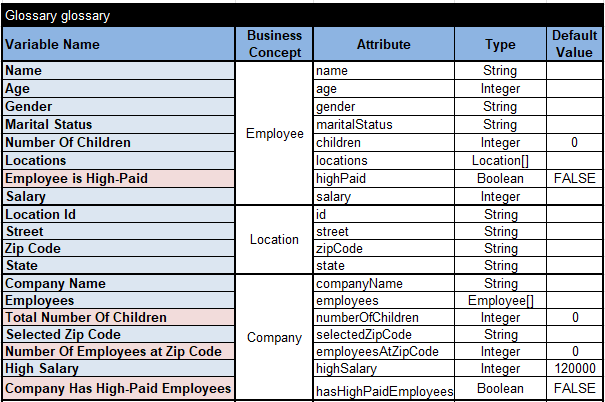
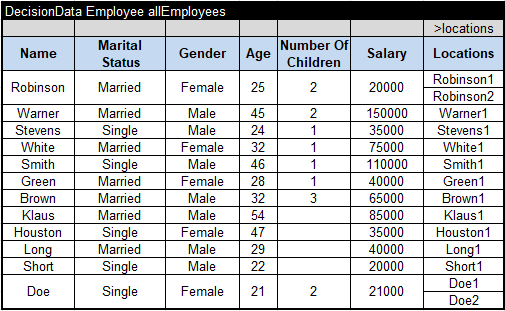
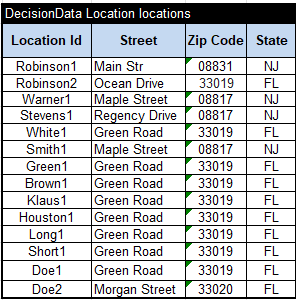
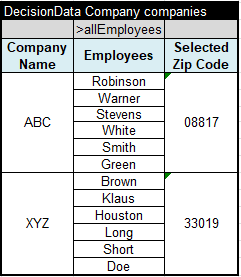
The glossary defines Company with an Employee[] collection. Each Employee has name, age, gender, marital status, salary, number of children, and a Location[] collection. Location holds a unique identifier and address details.
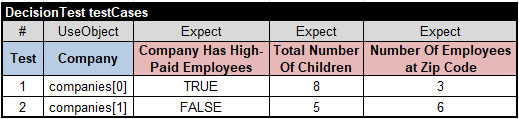
Decision logic
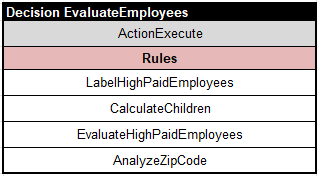
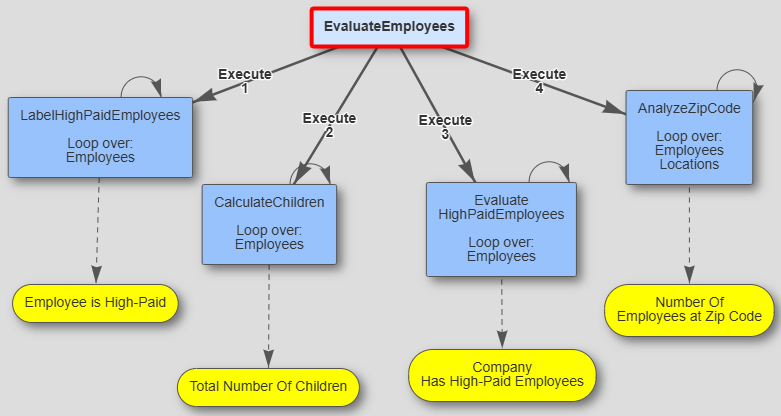
Use four tables for four collection patterns.
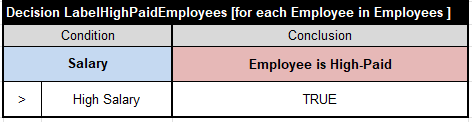
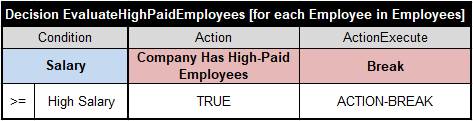
- Iterate through employees and flag those whose salary meets the high-salary threshold.
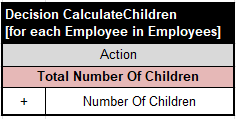
- Aggregate the total number of children.
- Stop an iteration after finding the first high-paid employee.
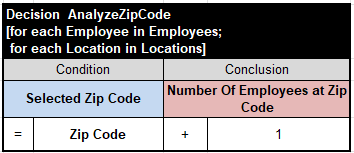
- Use nested iterations to count employees at a selected ZIP code.
Test and extend
Inspect the report, diagram, and related samples.
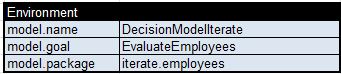
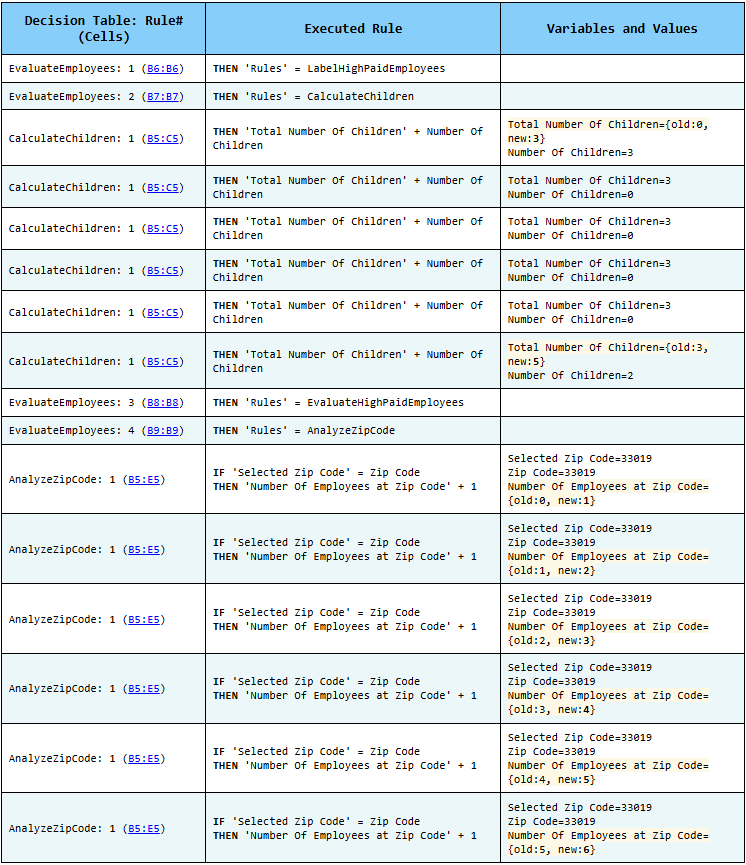
Run test.bat to execute the test cases and generate an explanation report. OpenRules Explorer produces the decision diagram.
- AnalyzeEmployees
- AnalyzeEmployeesWithoutLoops
- AggregatedValues
- MedicalServiceCoverage
- ICD10
- FlightRebooking
Try the model yourself
Download OpenRules and run the samples.
The evaluation includes working decision projects that you can inspect, test, debug, and adapt.