

This AI agent is designed to assist bank customers in securing a loan. The customer provides their monthly income and monthly debt, then explores various combinations of loan amount and repayment period — ranging from 24 to 96 months — to identify the most suitable option. The agent is powered by the bank’s decision model, which runs in the background on the bank’s server, and leverages LLMs to guide the customer toward the optimal decision through a plain English dialogue.
The same decision model was also used by OpenRules Decision Playground to achieve the same objective, but through a user-friendly graphical interface capable of working with a variety of optimization-based decision models.
Decision Service Implementation
We will work with a simplified loan model that nevertheless allows a customer to identify optimal combinations of loan amount and repayment term based on their own preferences.
You can find the complete decision model in the OpenRules installation – see openrules.solver/AI/Loan. Here is the Glossary:
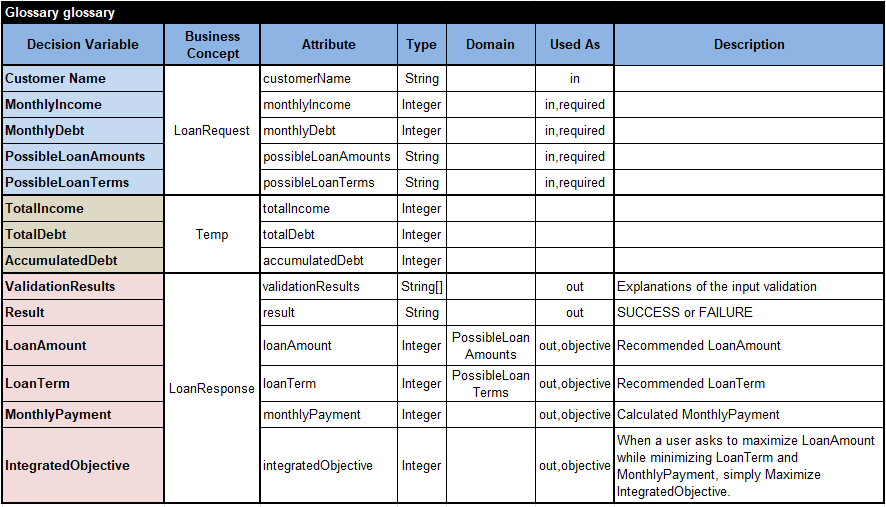
We also added an optional table
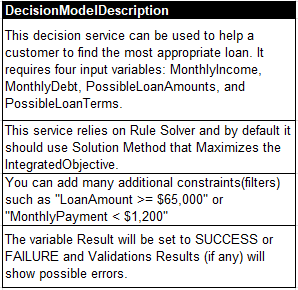
OpenRules uses the Glossary and DecisionModel Description to automatically generate the files “description.md” and “schema.json” that will be passed to an LLM. They make OpenRules-based decision services AI-friendly. The decision tables that implement this decision model are described at the end of this post.
We could use different deployment options, such as AWS Lambda or MS Azure functions. This time, we decided to deploy our decision model as a local REST service using the standard OpenRules file runLocalServer.bat. It returned us this endpoint URL:

Human-LLM Dialogue
We use the ChatGPT desktop app, which provides a simple graphical interface for managing AI agents. It can be accessed via chatgpt.com by selecting “…More + Codex.” Similar desktop applications are also available from Claude and Gemini.
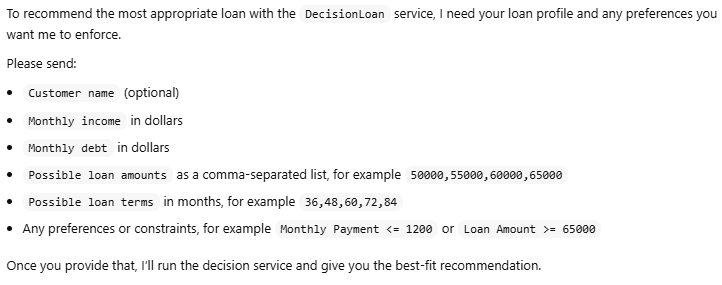
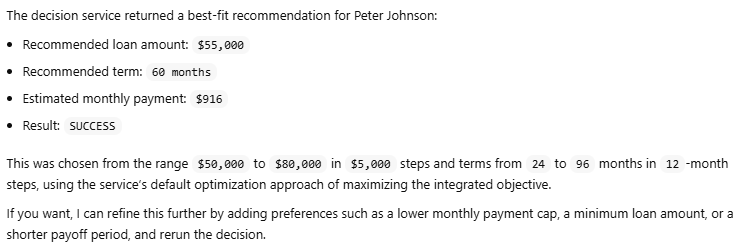
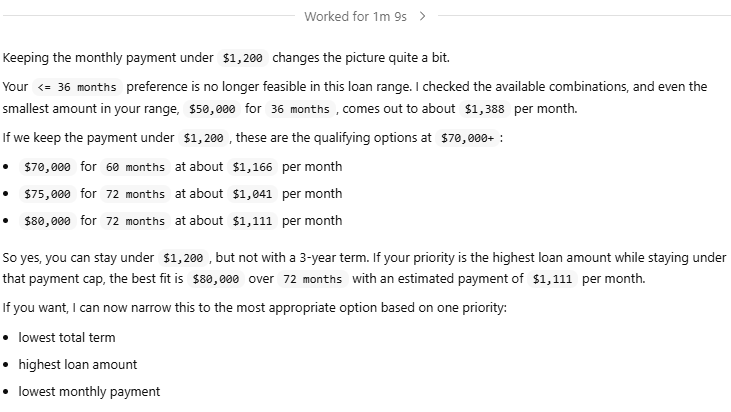
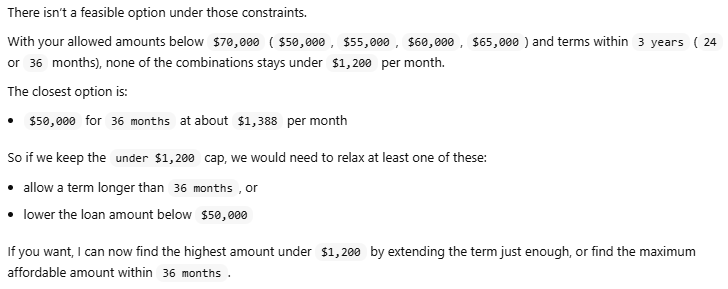
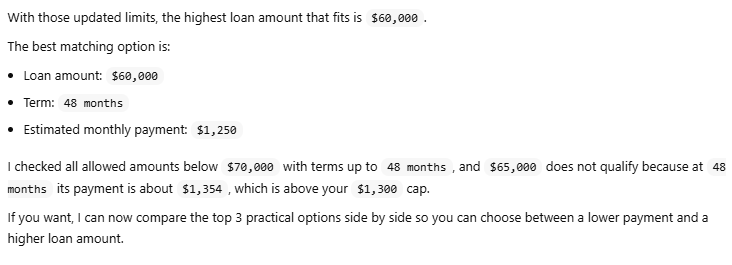
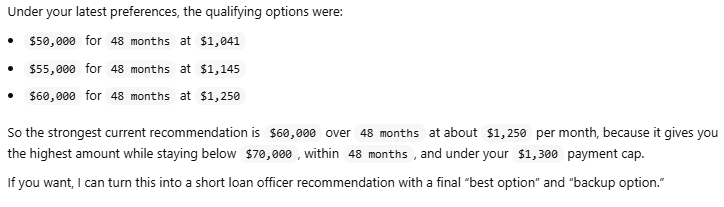
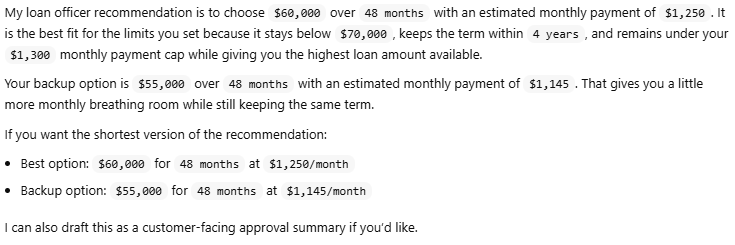
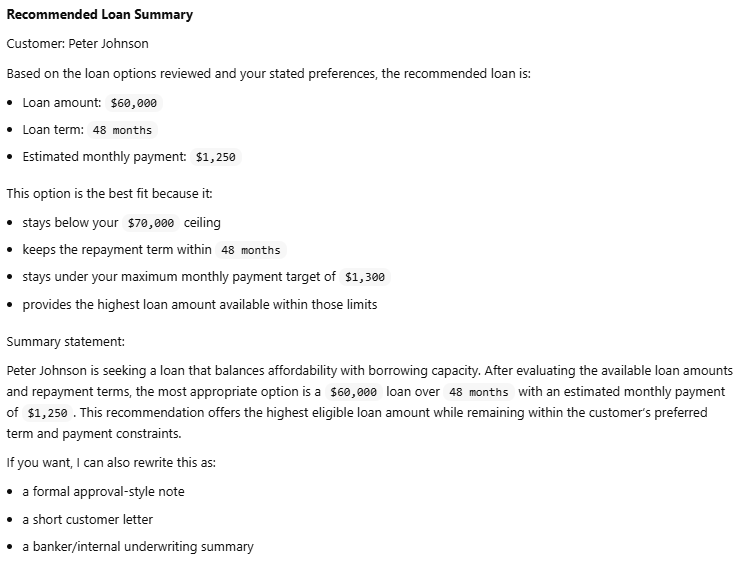
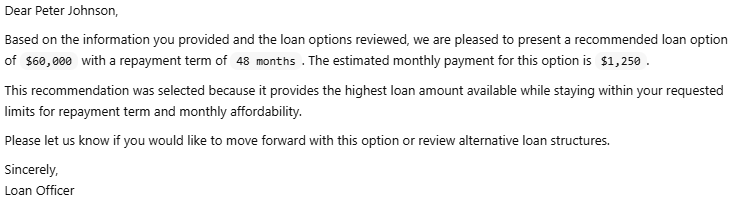
In the dialogue below, human requests have a gray background and the LLM’s responses have a white background.
















Conclusion
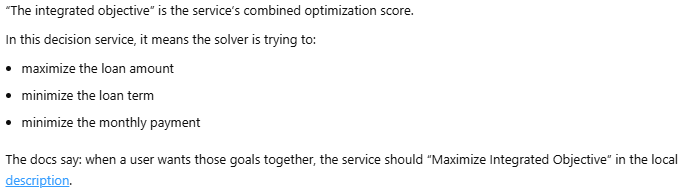
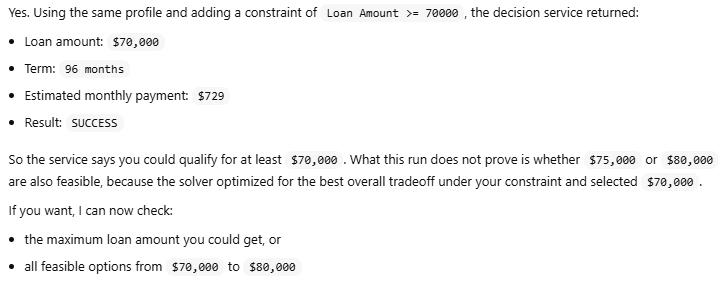
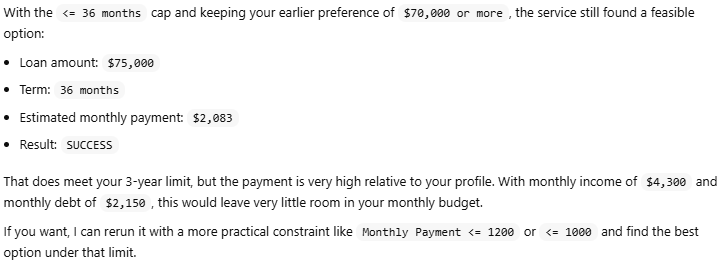
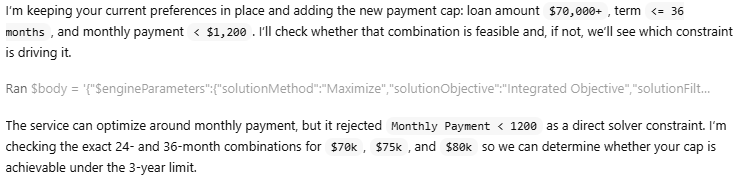
It is worth noting that the LLM had no knowledge of the underlying decision service logic — only the required inputs and outputs. It was also instructed to maximize the Integrated Objective via the DecisionModelDescription. Under these conditions, the LLM’s performance was nothing short of remarkable.
The underlying decision model uses the main goal, “DetermineLoan”:
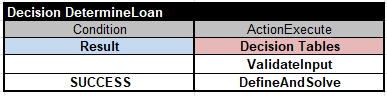
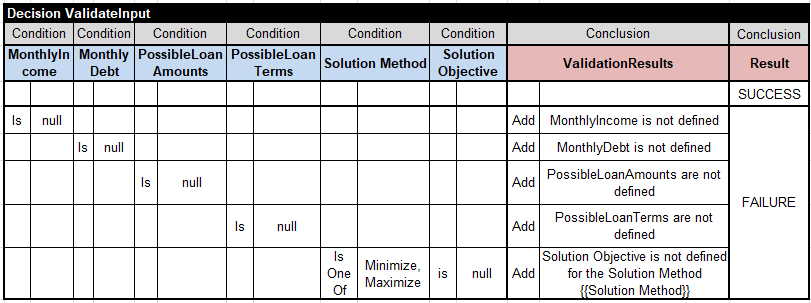
First, it executes the decision table “ValidateInput”:
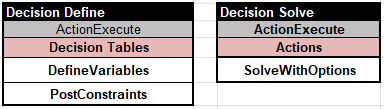
The predefined RuleSolver’s method “DefineAndSolve” executes these two tables:
The table “DefineVariables”
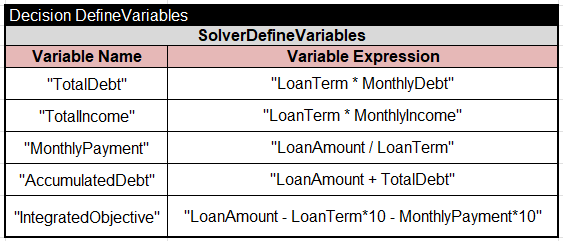
specifies different constrained (unknown) variables. In particular, it defines the “IntegratedObjective” as
LoanAmount – LoanTerm*10 – MonthlyPayment*10
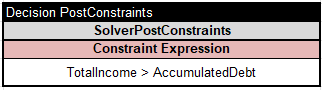
The table “PostConstraints” posts the major loan eligibility constraint:
This model is built on OpenRules RuleSolver, which defines a range of variables — including Solution Method, Solution Objective, Optimization Strategy, and Time Limit — as well as search methods such as FindSolution, Minimize, and Maximize.