
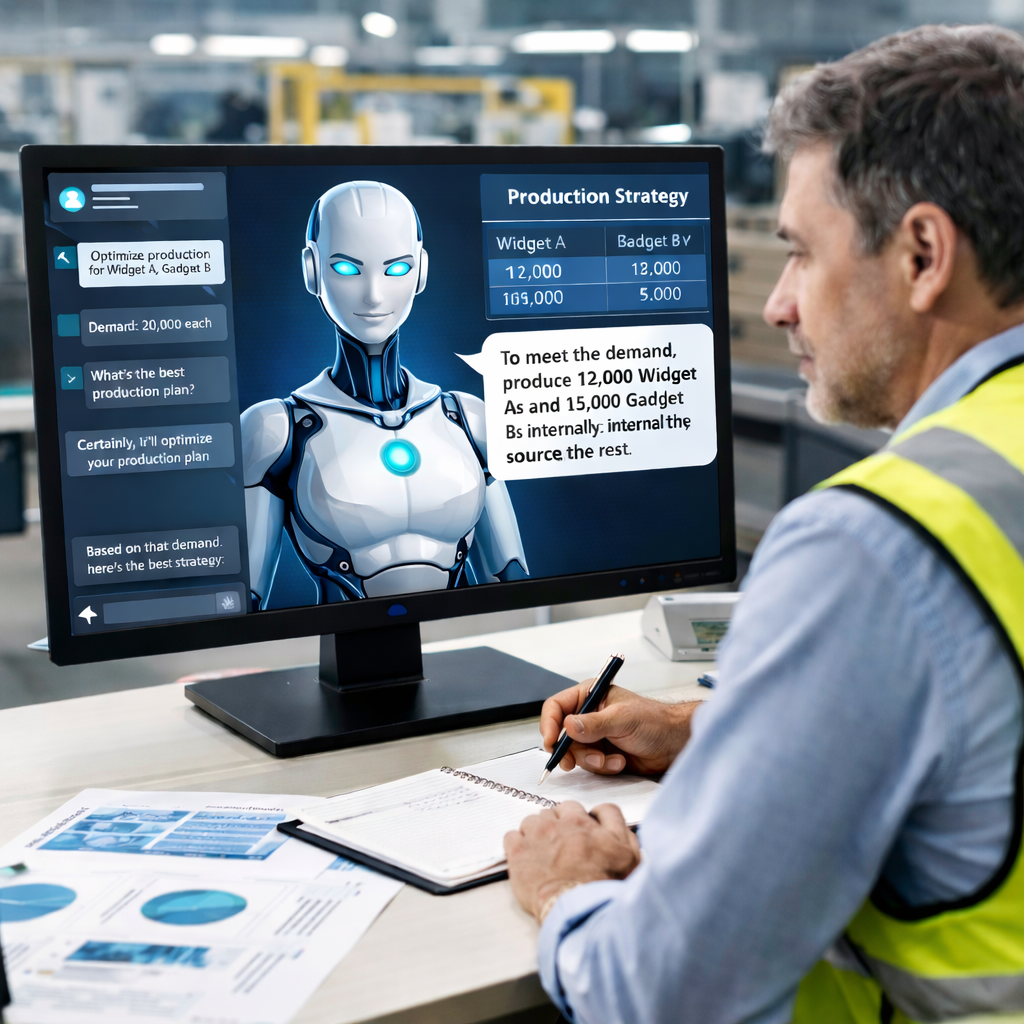
This AI agent helps manufacturers determine the optimal mix of internal production and external sourcing for each demanded product. Each option — whether produced in-house or outsourced — carries an associated cost, and internal production draws on resources with limited capacities. The agent’s core objective is to minimize total production cost while ensuring demand is met exactly or within a specified tolerance.
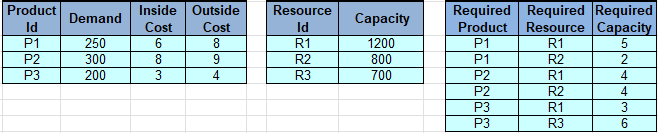
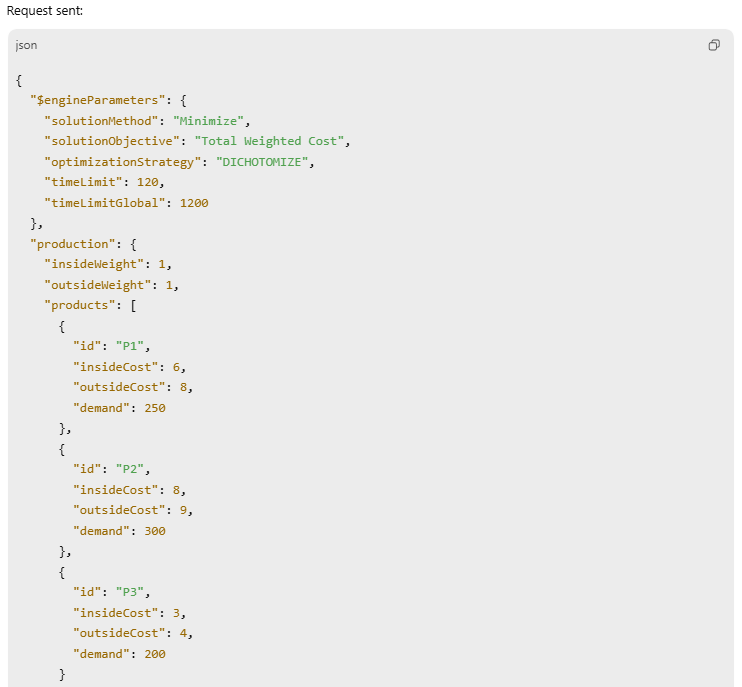
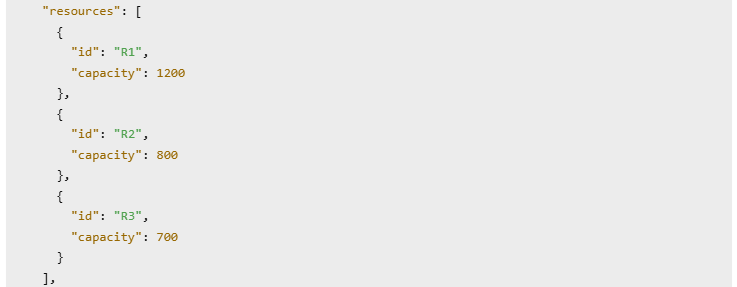
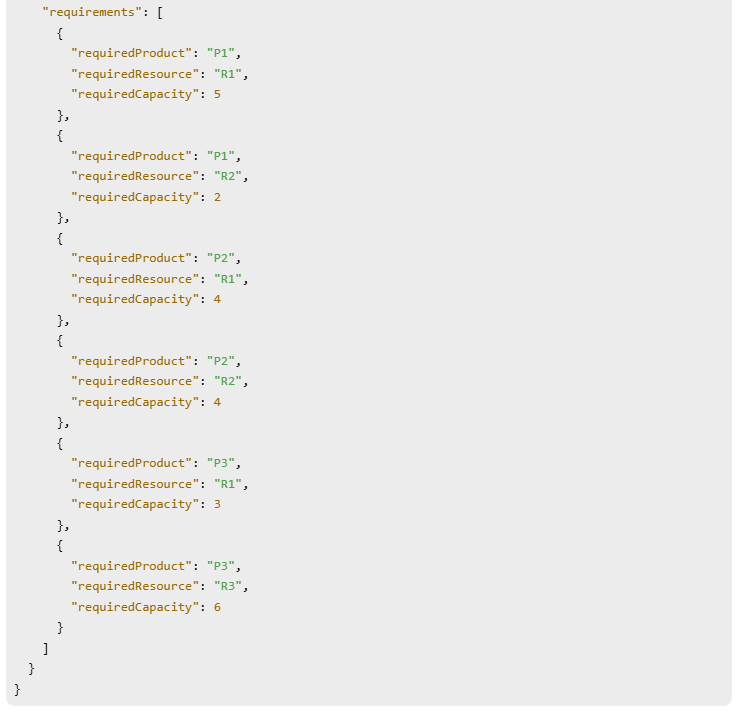
Here is an example of input data with products, resources, and capacity requirements provided by this DMCommunity’s challenge:
The agent is powered by the optimization model, which runs in the background on the manufacturer’s server or cloud, and leverages LLMs to guide the manager toward the optimal decision through a plain English dialogue.
The same decision model was also used by OpenRules Decision Playground to achieve the same objective, but through a user-friendly graphical interface that supports a variety of optimization-based decision models.
Decision Service Implementation
We will work with a decision service that allows a production manager to identify optimal combinations of products produced inside, or purchased outside, based on his/her preferences.
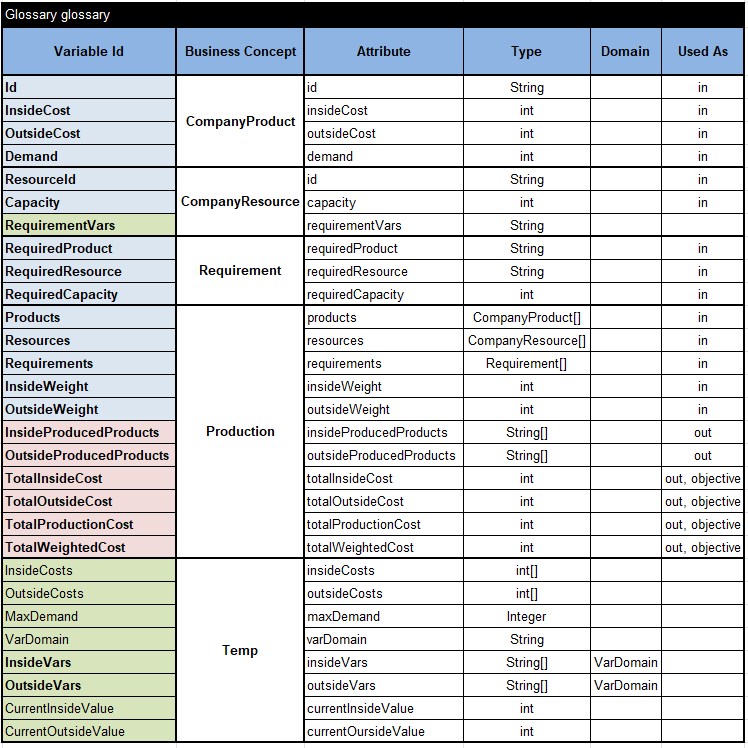
You can find the complete decision model in the OpenRules installation – see openrules.solver/AI/InsideOutsideProductionAI. Here is the Glossary:
We also added an optional table
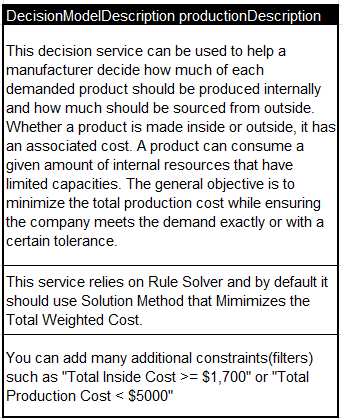
The second row of this description directs the underlying Rule Solver instead of the default Solution Method “FindSolution” to use “Minimize Total Weighed Cost”.
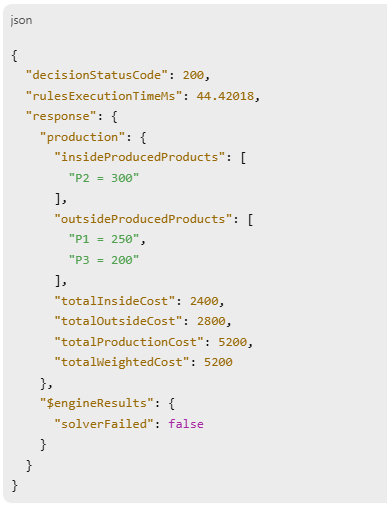
OpenRules uses the Glossary and DecisionModelDescription to automatically generate the files “description.md” and “schema.json” that will be passed to an LLM. They make OpenRules-based decision services AI-friendly. The underlying decision model is based on a constraint solver and is described here.
We could use different deployment options. This time, we decided to deploy our decision model as an AWS Lambda function using the standard OpenRules file deployLambda.bat. It returned us this endpoint URL:

Human-LLM Dialogue
We use the ChatGPT desktop app, which provides a simple graphical interface for managing AI agents. It can be accessed via chatgpt.com by selecting “…More + Codex.” Similar desktop applications are also available from Claude and Gemini.
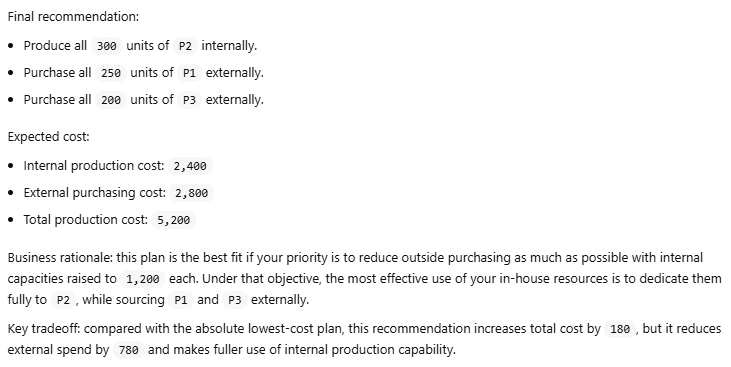
In the dialogue below, human requests have a gray background and the LLM’s responses have a white background.






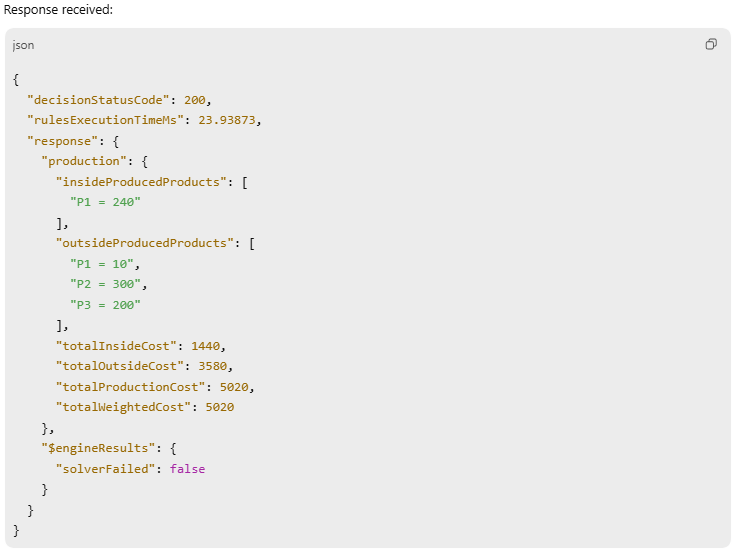

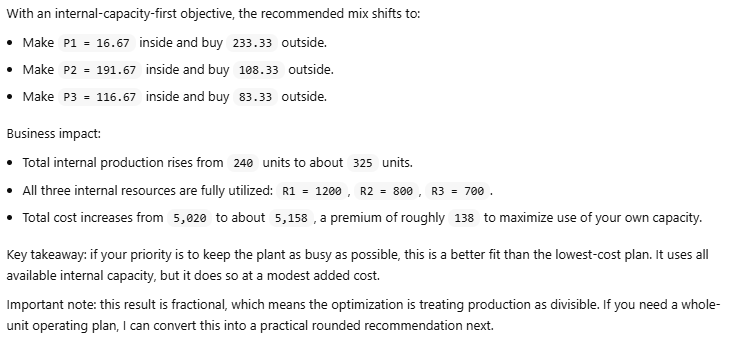

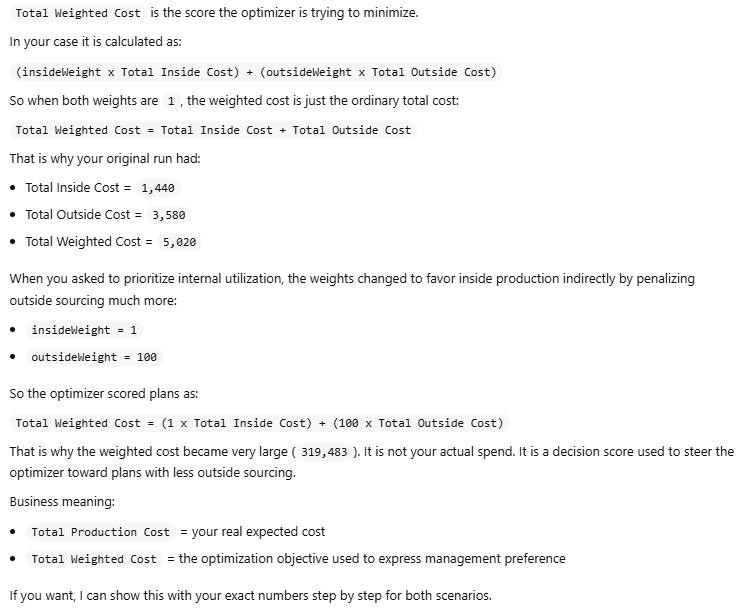

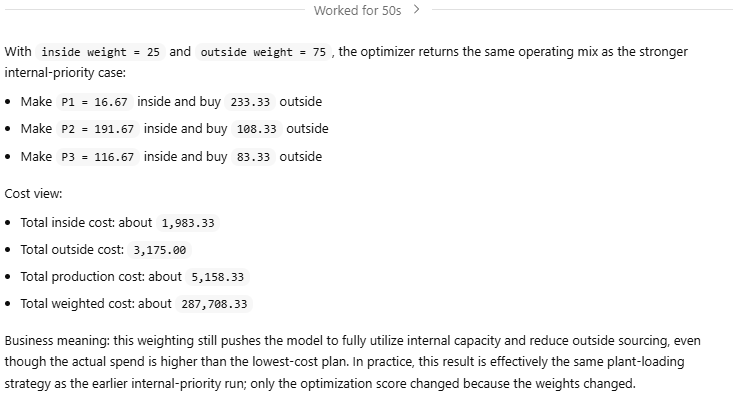

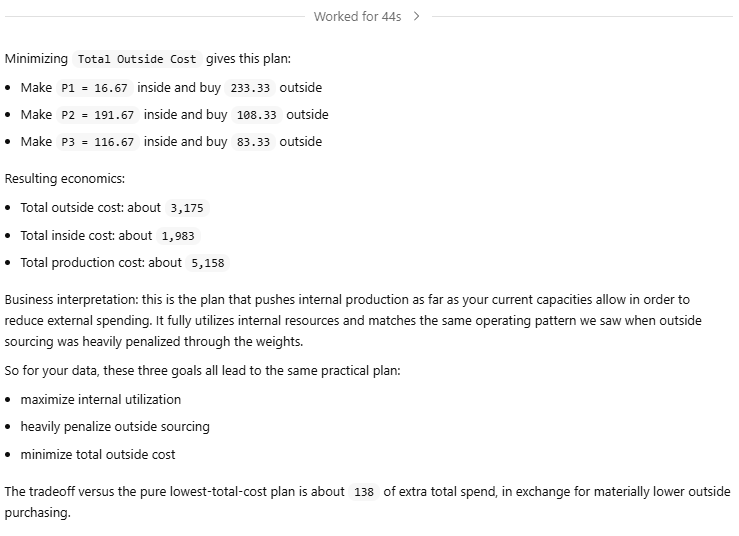

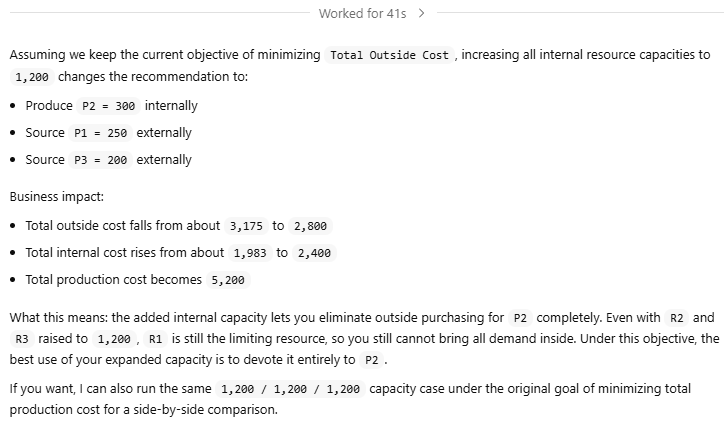

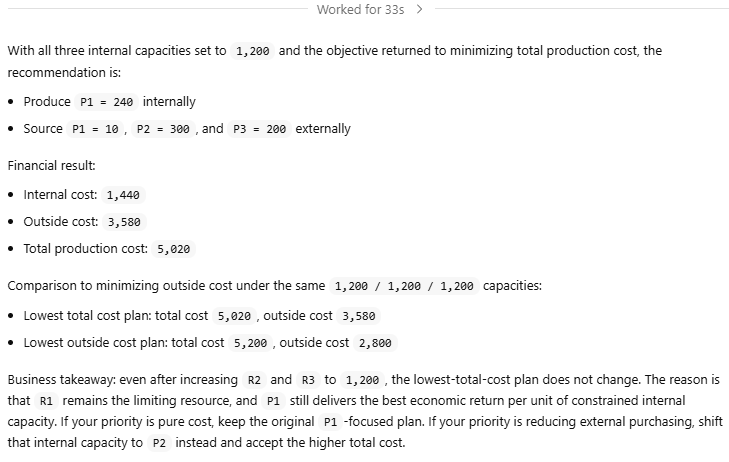


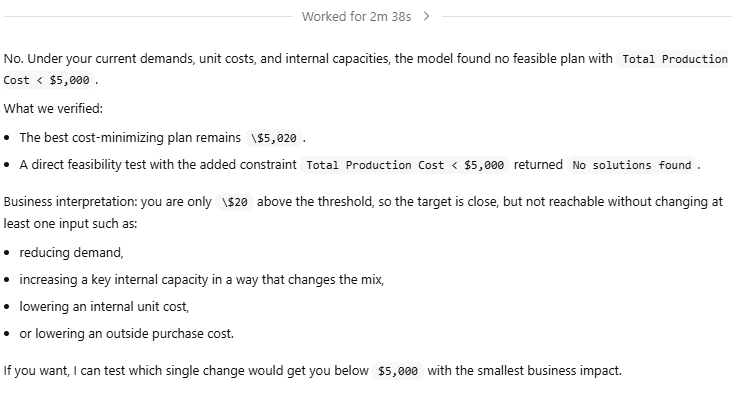



Conclusion
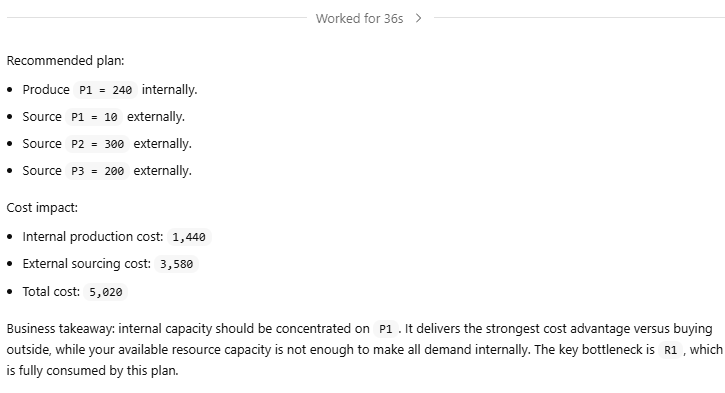
The LLM had no knowledge of the underlying optimization logic — only the required inputs and outputs. Yet it accurately interpreted input data from an image and made it easy to explore various options in plain English.