
Serverless Deployment
MS Azure Function
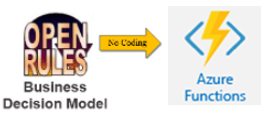
Use the included Azure sample project and deployment script to publish a tested decision model as a callable cloud function.
Sample project
Start with VacationDaysAzure.
The standard VacationDaysAzure project demonstrates deployment of the introductory Vacation Days model. It requires a JDK, Maven, the .NET Core SDK, and Azure Functions Core Tools.
Configuration
Keep model and Azure settings explicit.
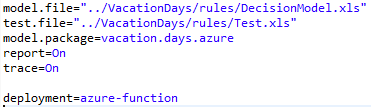
The decision-model settings remain in VacationDaysAzure/project.properties. Azure-specific deployment properties are defined in pom.xml, giving your team full control over its target Azure environment.
After adapting pom.xml, run deployFunction.bat or deployFunction on macOS and Linux.
Invoke
Copy the generated function URL and test it.
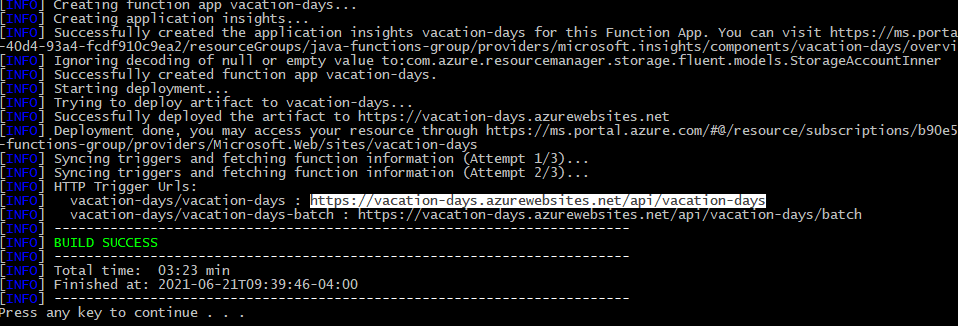
A successful deployment prints the function URL in the console. Copy that URL into POSTMAN and send one of the JSON tests automatically generated in the project’s jsons folder.
Deployment options
Choose the integration that fits your architecture.
Each option uses the same business-owned OpenRules decision model.
Invoke a compiled model from Java.
Open guide →02AWS LambdaDeploy a serverless AWS function.
Open guide →03MS Azure FunctionPublish a model as an Azure Function.
Open guide →04RESTful Web ServicesRun with OpenRules REST or Spring Boot.
Open guide →05SharePoint IntegrationMaintain rule repositories in SharePoint.
Open guide →06Amazon S3 IntegrationLoad rule files directly from S3.
Open guide →07Docker ContainersPackage services as portable containers.
Open guide →08Apache SparkUse OpenRules from Spark applications.
Open PDF ↗09WAR FilesDeploy to Tomcat, WebSphere, and other servers.
Open guide →Build and deploy
Try these deployment projects yourself.
The free evaluation includes ready-to-run decision models that you can build, test, and adapt.