
Rule Repositories
SharePoint Integration
Business teams can maintain Excel rule files directly in SharePoint while deployed OpenRules services securely load the latest authorized version.
Why SharePoint
Use the document platform your teams already share.
SharePoint gives distributed teams secure document access, Microsoft Office collaboration, and version control that preserves earlier revisions. These capabilities make it a practical home for enterprise OpenRules repositories. The sample project VacationDaysSharePoint demonstrates how to use OpenRules with SharePoint.
OpenRules supports SharePoint repositories beginning with Release 10.5.0. Your IT department must first register an application and configure the runtime credentials used to access Microsoft Graph.

1. Application registration
Register OpenRules in Microsoft Entra.
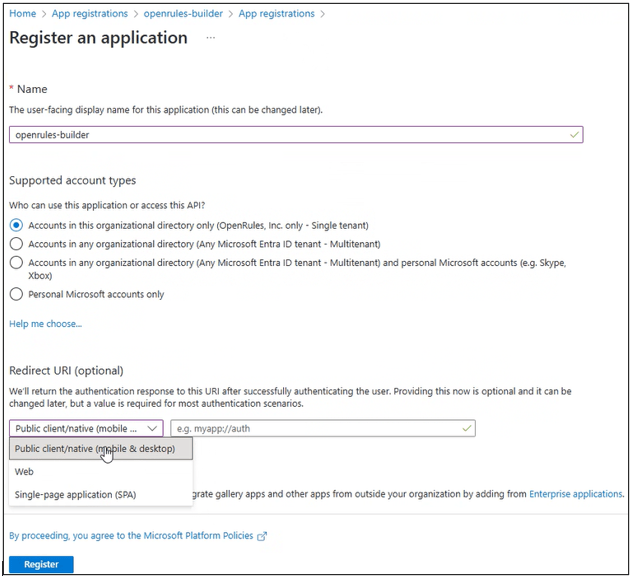
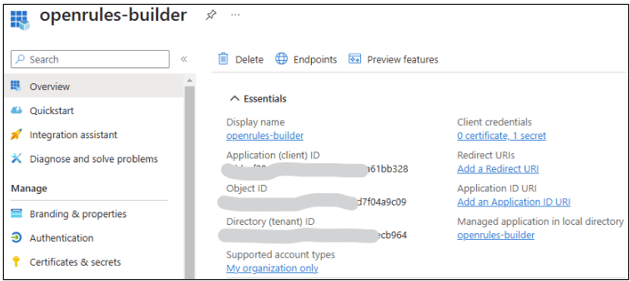
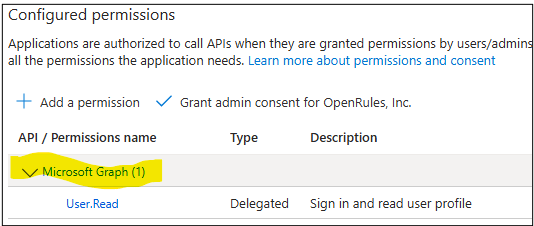
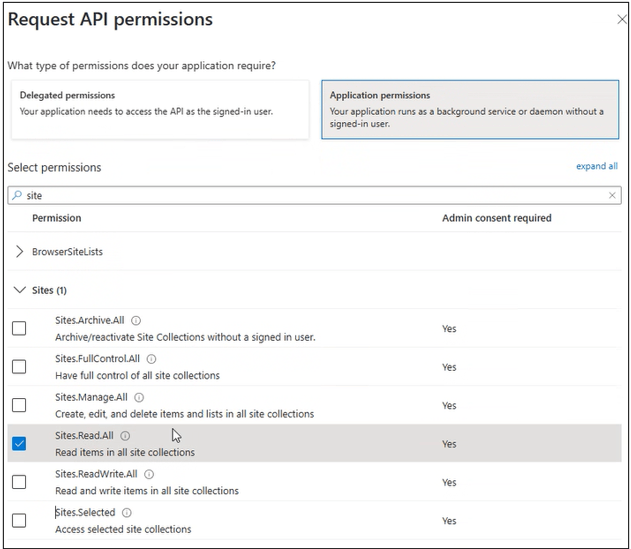
Register an application such as openrules-builder in the Microsoft Entra admin center. Add Microsoft Graph API application permissions for the target SharePoint site.
The source example grants Sites.Read.All. Organizations can instead configure the more restricted Sites.Selected permission.

2. Client credentials
Create the secret used by the runtime.
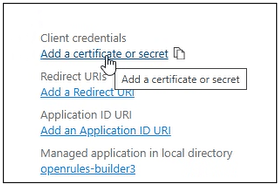
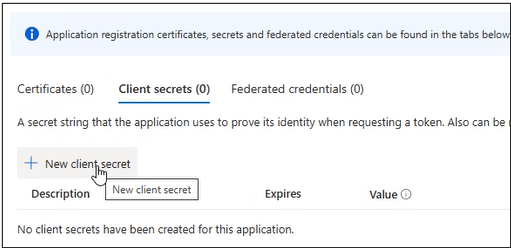
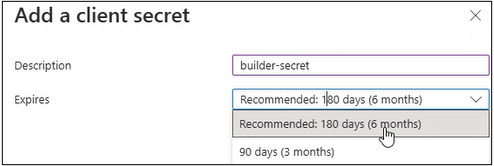
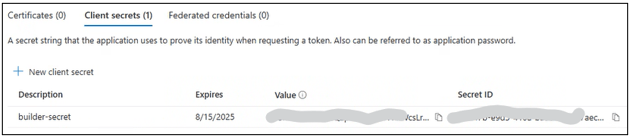
Open the application’s Client credentials section, add a certificate or secret, create a new client secret, and securely retain its value for the runtime configuration.
3. Runtime configuration
Supply the tenant, client, and secret.
The builder first looks for Java system properties sp.tenantId, sp.clientId, and sp.secret. It then checks SP_TENANT_ID, SP_CLIENT_ID, and SP_SECRET. If neither is present, it reads ~/.sp/credentials.
TENANT_ID=your-tenant-id
CLIENT_ID=your-client-id
SECRET=your-client-secret
4. Repository links
Copy the SharePoint document path.
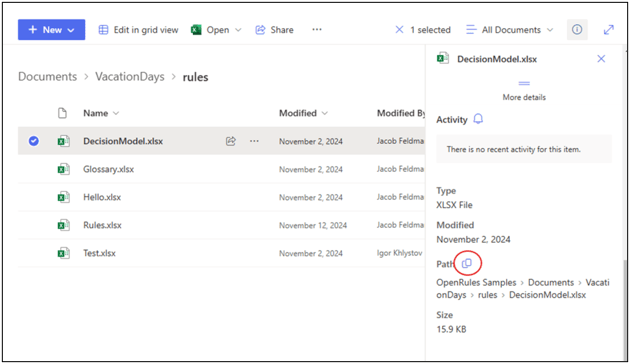
Select a document in its SharePoint library, open the details panel, find the Path property, and copy the link. Use that URL for the model or test file in your OpenRules project.
5. OpenRules project
Point project.properties to SharePoint.
Replace the local model.file and optional test.file values with your SharePoint document URLs. The installed VacationDaysSharePoint sample provides a working project structure that you can adapt.
model.file=https://openrules.sharepoint.com/sites/openrules.samples/Shared%20Documents/VacationDays/rules/DecisionModel.xlsx
test.file=https://openrules.sharepoint.com/sites/openrules.samples/Shared%20Documents/VacationDays/rules/Test.xlsx
Deployment options
Choose the integration that fits your architecture.
Each option uses the same business-owned OpenRules decision model.
Invoke a compiled model from Java.
Open guide →02AWS LambdaDeploy a serverless AWS function.
Open guide →03MS Azure FunctionPublish a model as an Azure Function.
Open guide →04RESTful Web ServicesRun with OpenRules REST or Spring Boot.
Open guide →05SharePoint IntegrationMaintain rule repositories in SharePoint.
Open guide →06Amazon S3 IntegrationLoad rule files directly from S3.
Open guide →07Docker ContainersPackage services as portable containers.
Open guide →08Apache SparkUse OpenRules from Spark applications.
Open PDF ↗09WAR FilesDeploy to Tomcat, WebSphere, and other servers.
Open guide →Build and deploy
Try these deployment projects yourself.
The free evaluation includes ready-to-run decision models that you can build, test, and adapt.