
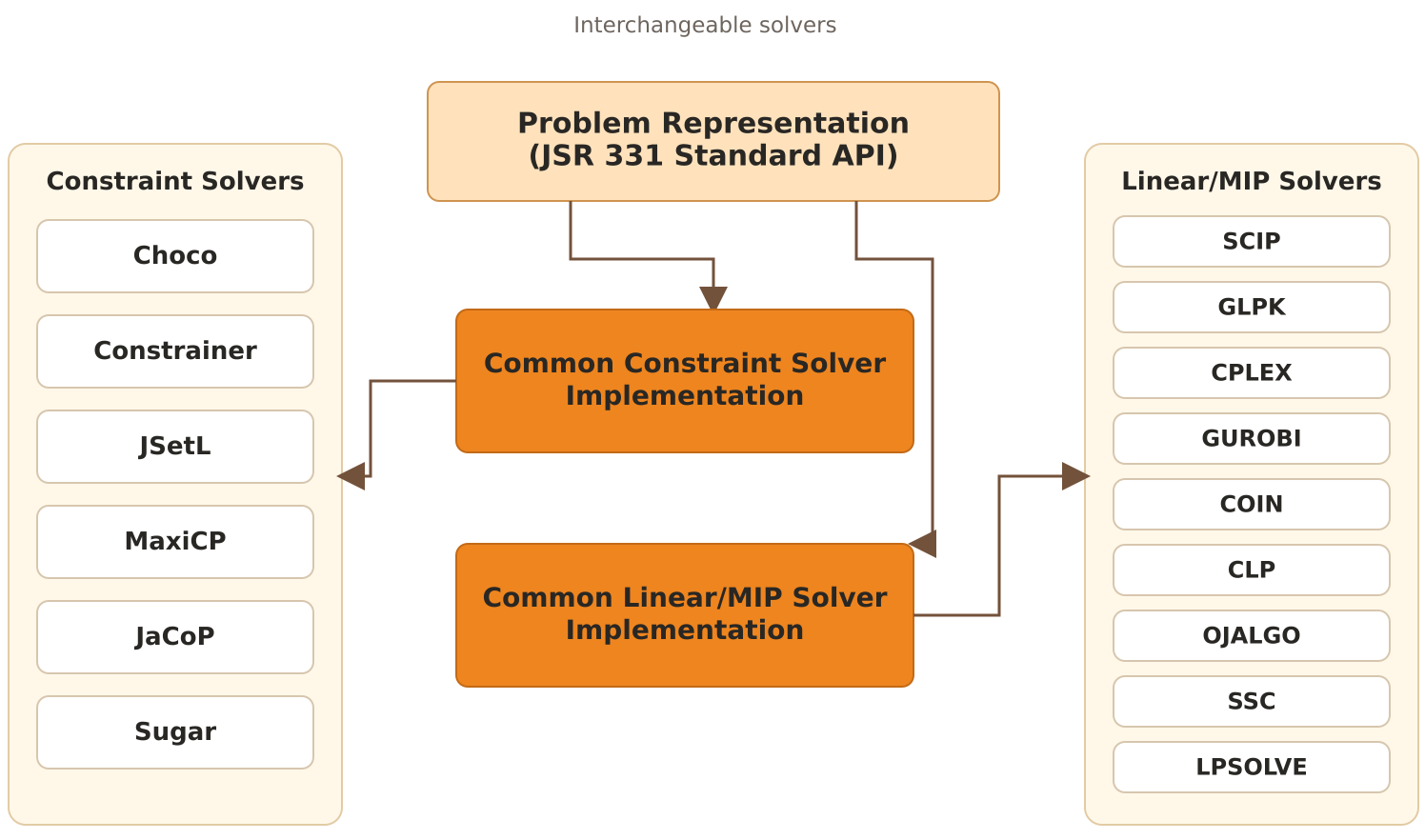
There are many Constraint Solvers and Linear/MIP solvers (open source and commercial) which can be utilized by Rule Solver using the JSR 331 standard. Constraint solvers can represent almost any problem, while linear solvers are limited to linear constraints only. Linear solvers can usually find optimal solutions for problems of very large size faster in situations when constraint solvers stop short. Rule Solver uses the same approach as Java Solver, allowing you to easily switch between underlying off-the-shelf solvers without changing anything in your optimization model.
When you install Rule Solver, you will automatically get access to various open-source constraint and linear solvers available from the centralized Maven Repository. The following constraint and linear/MIP solvers are currently supported by the JSR 331 standard and can be used with Rule Solver:
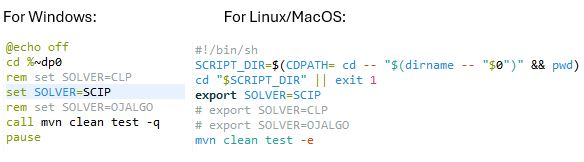
To switch between solvers, change only the “SOLVER” property - no changes in your model are required. You can do it in your test file “test.bat” for Windows or “test.sh” for Linux/MacOS as shown below:
If you have licenses for commercial solvers CPLEX or GUROBI, you need to install these solvers from their original repositories and make sure that your PATH environment variable includes the path to their executables “cplex.exe” or “gurobi.exe”.
If you have any questions or want to add your solver, send a request to support@openrules.com.