Problem
Graphical Interface
Finding Optimal Decisions
Underlying Decision Model
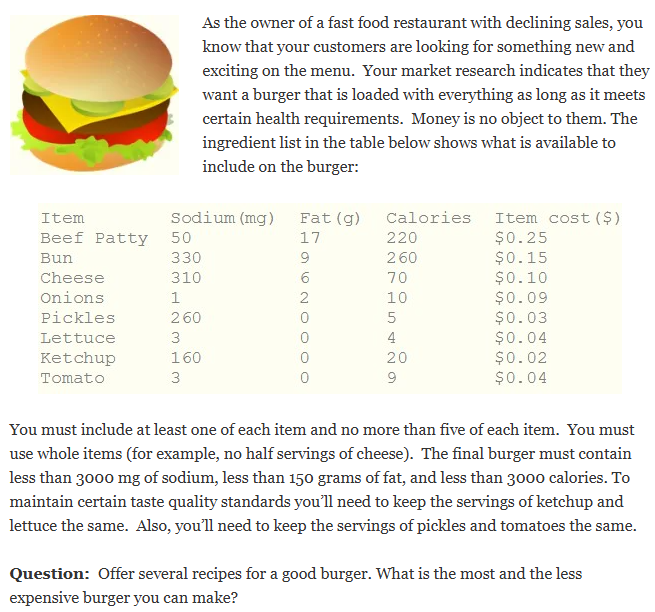
Problem [see DMCommunity’s June-2015 challenge]
This sample demonstrates how OpenRules Decision Playground can be used to make a good burger based on each person’s preferences.
The proper decision model is implemented as a simple project, “Burger“, included in OpenRules Rule Solver. You can find its implementation at the end of this page. Now you may use Decision Playground to generate various production decisions using the same decision model.
Click on “Burger/play.bat” to start Decision Playground. Here is your Playground’s view after you click on “New Request” to select a JSON file with input data:
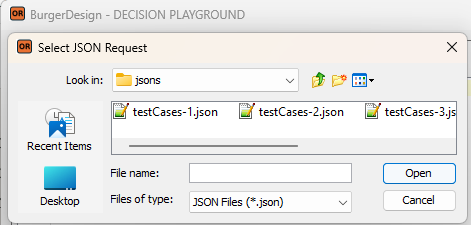
The proper JSON files, such as “testCases-1.json,” were generated based on the test cases in Excel during the testing of the decision model. Still, you may also create a JSON request manually or get it from your production system.
Then you may click on “Optimize” to get the following Decision Playground’s view:
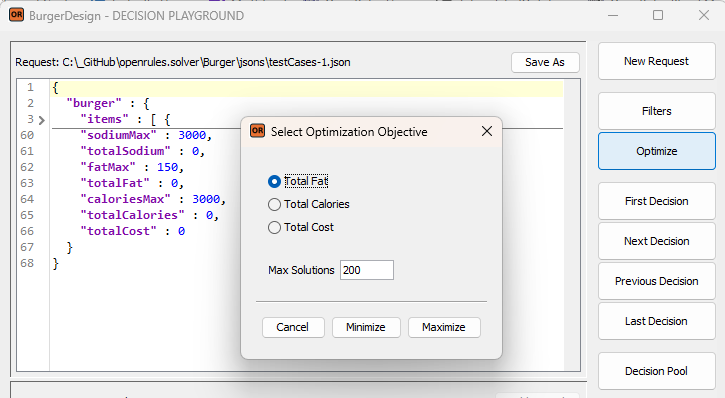
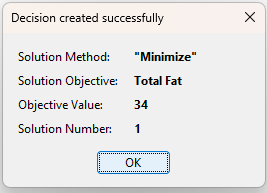
Let’s say you first want to minimize the Total Fat. You can select “Total Fat” as your optimization objective and click “Minimize”. The Playground will run the decision model to produce the proper optimal decision. Playground will show the following dialog that includes the number of the found solution:
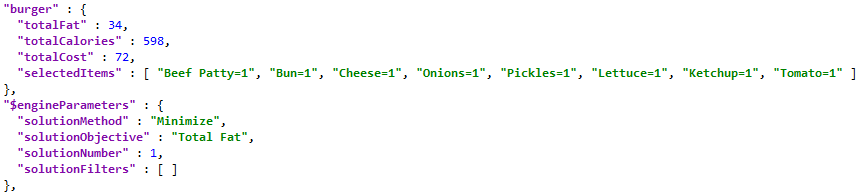
You may analyze the found optimal decision in the bottom part of the Playground screen:
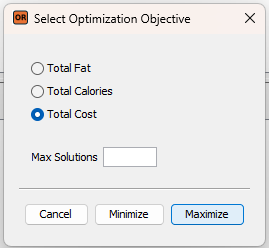
Now you may try to find the most expensive burger using this dialog:
Here are the results:
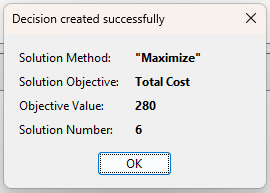
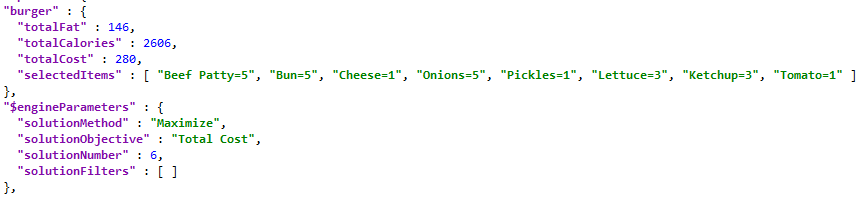
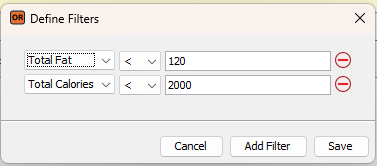
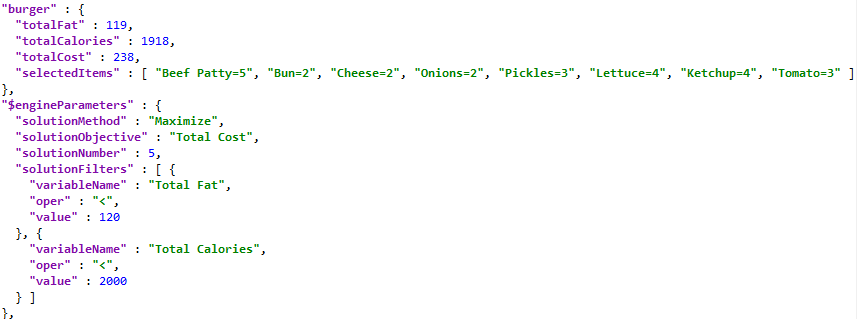
This decision shows that the most expensive burger costs $2.80 with Total Fat 146 and Totak Calories 2606. Let’s try to filter this solution by asking Total Cost < 120 and Total Calories < 2000. Click on “Filters” and add two filters:
Then run again “Optimize” to maximize Total Cost. You will receive this decision:
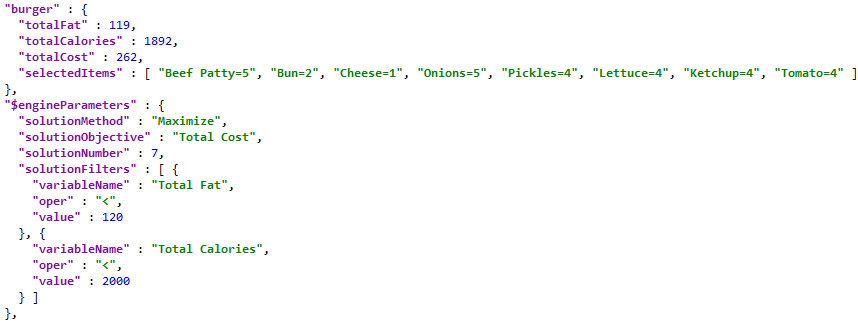
Let’s say you like it but want to limit onions to only maximum 2 items. You can do it by modifying the request items. Find the item “Onions” and change its “domain” : “1-5” to “domain” : “1-2”
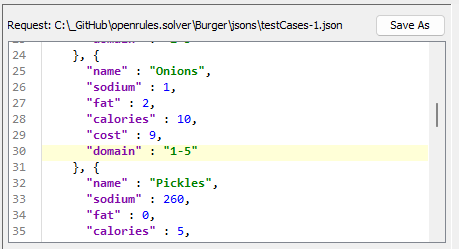
Here are the results:
If you added each of the above decisions to the Decision Pool, it will look as below:
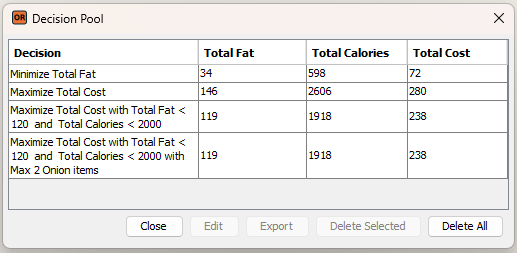
You can compare them to choose (“Export”) your favorite burger, or continue to play with more options.
This example is based on a very simple decision model – see file “openrules.solver/Burger/rules/DecisionModelBurger.xls”. Here is the Glossary:
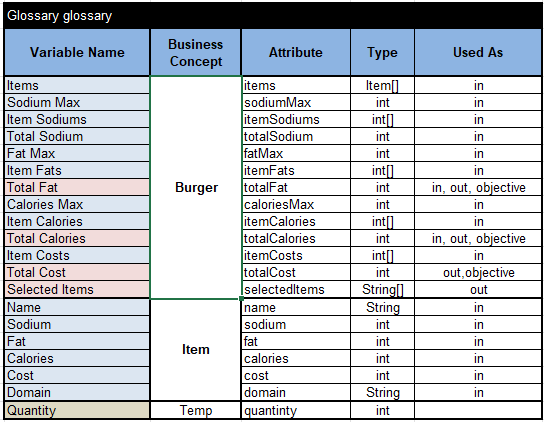
Here are two main methods, “Define” and “Solve”, that are pretty common for decision models utilizing Rule Solver:
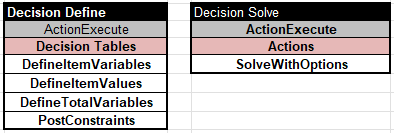
The table “DefineItemVariables” for each Item in the input array “Items” defines the proper constrained decision variables with names like “Beef Patty Quantity” or “Cheese Quantity” with possible values from the Domain of Item such as “1-5” for a particular item:
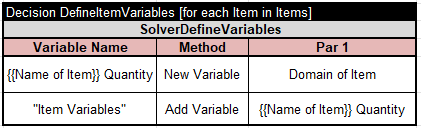
It also adds the item variables to the arrays “Item Variables” needed to specify optimization objectives.
The table “DefineItemValues” adds the proper values for each Item from the input array “Items” to arrays “Item Sodiums”, “Item Fats”, “Item Calories”, and “Item Costs”:
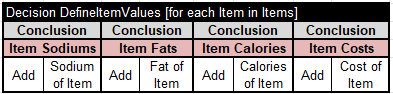
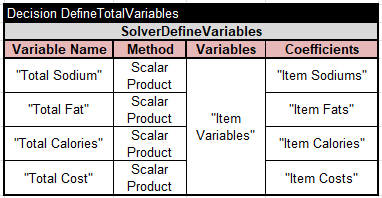
The table “DefineTotalVariables” uses the above arrays to define all objective variables:
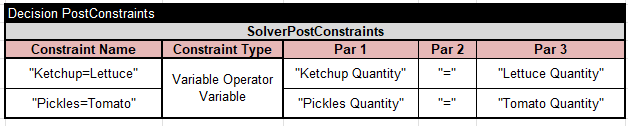
The table “PostConstraints” post hard constraints “Ketchup Quantity = Lettuce Quantity” and “Pickles Quantity = Tomato Quantity”:
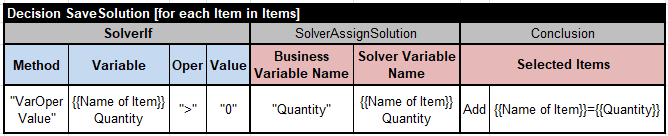
And finally, we define the table “SaveSolution” that will be automatically invoked from the method “Solve“: